November 1, 2006
In Focus
At Last, Digital S.L.R.’s That Won’t Break Your Budget
By IAN AUSTEN (New York Times)
ABOUT six years ago, Anthony J. Kinney bought the first of a series of compact digital cameras. Some were bigger, some were smaller, and their features were as varied as the cameras’ brand names. But one thing was constant: none of them were satisfying.
Mr. Kinney, a research scientist in Wilmington, Del., was particularly frustrated by the lag that occurred with all the compact cameras, when the shutter was pressed and the exposure was made.
“Kids move around a lot,” he said of his favorite subject, his two sons. “By the time any of the cameras took a picture, the kid would have moved out of the frame.”
Mr. Kinney’s disappointment lifted — and his digital camera buying spree eased — about a year and half ago when he bought a Canon EOS Digital Rebel, the first digital single-lens-reflex camera offered at a price (about $1,000 with a lens) that a middle-class father of two could consider.
Not only did the Digital Rebel prove to be infinitely superior to the last film S.L.R. Mr. Kinney owned — a robustly crude, Soviet-made Zenit — he said it also transformed how he took digital photos.
“The whole thing about point-and-shoots is convenience,” Mr. Kinney said. “With the S.L.R., you’re not just taking a snapshot, you’re thinking more. Ultimately that’s what makes a good picture: your brain.”
Mr. Kinney is not alone in his fondness for digital single-lens-reflex cameras, which do not yet dominate digital cameras in the way that they ruled film cameras during the late 1970s. But the success of the Digital Rebel has led to a rush by every camera maker, as well as newcomers like Sony and Samsung, to introduce digital S.L.R.’s priced and designed with consumers in mind. Nikon alone now offers four such models.
Despite their comparatively low prices (the Olympus Evolt E-500, in a package with two zoom lenses, sells for $800; and the Pentax K110D, with one zoom, sells for about $600), digital single-lens-reflex cameras help manufacturers make up for profits lost to the even steeper price drops for compact digital models over the last two years.
For camera buyers, however, determining if digital S.L.R.’s are worth the extra money (as well as the added bulk, weight and, in some cases, complexity) is less straightforward. It requires balancing those drawbacks against the cameras’ generally higher image quality, more capable autofocus, viewing and exposure systems and their ability to change lenses.
As their name suggests, digital S.L.R.’s most obviously distinguish themselves from compact cameras by their reflex-viewfinding system.
With compact models, users compose their photos either through a tiny separate viewfinder or by previewing the shot on the camera’s liquid-crystal-display monitor. (Extra-small compact cameras usually offer only the monitor.)
All S.L.R.’s, whether film or digital, let users compose by looking through the lens through a system of mirrors, lenses and prisms. That mechanism — which must quickly flip the mirror out of the shutter’s way for picture taking and then immediately drop it down again — is what accounts for most of the larger size and weight.
But it is also the feature that allows the use of different lenses. Many photographers, including Mr. Kinney, also find that it provides the most accurate preview of the resulting photo.
“The viewfinder is much bigger and brighter than any point-and-shoot,” Mr. Kinney said. “It was just such a joy to look through it.”
But arguably the most significant differences between compact point-and-shoot cameras and digital S.L.R.’s lie hidden well inside their plastic and metal shells.
The shutter lag that irritated Mr. Kinney, for example, occurs mostly from the fact that the compact camera’s imaging sensors are doing a wide variety of jobs besides capturing a photo. Chuck Westfall, the director of technical information for Canon in the United States, said that a big cause of shutter lag is the image sensor’s doing extra duty as an autofocus sensor. (The need for the sensor to switch from a preview to exposure duty when the shutter is pressed is another factor.)
In digital S.L.R.’s, however, the image sensor’s only job is to take pictures. Specialized sensors handle autofocus readings, exposure measurement and white balance (adjusting the camera’s color settings to eliminate unnatural color shifts caused by light sources other than the sun). On top of that, the larger size and higher prices of these cameras mean that they generally have more powerful computing chips to make sense of that data.
The other major difference internally is the image sensor chips themselves.
From the beginning, digital camera marketing has emphasized the pixel count of imaging sensors. What it does not say is that not all pixels are equal.
Compact cameras use much smaller sensor chips than digital S.L.R.’s. Mark Weir, the senior product manager for digital S.L.R. cameras at Sony, said that a typical compact camera sensor is “about half the size of your smallest fingernail.”
“A digital S.L.R. sensor is pretty big,” he added, “about the same as a good-size postage stamp.”
As a result, every pixel on a compact camera’s sensor chip is much smaller than its counterpart on a digital S.L.R.’s sensor. Mr. Weir, whose company also produces sensors for a number of other camera makers, estimates that pixels on a 10-megapixel compact camera sensor are about 2 microns across, compared with 6 microns for a digital S.L.R. sensor of the same resolution. A micron is one-thousandth of a millimeter.
That creates several problems. Makers of compact sensors are hitting physical limits on the ability to align the tiny individual lenses that sit on top of every pixel to concentrate the incoming light. Those tiny sensors, at the same time, place a heavier burden on lenses because the images they create eventually undergo high levels of magnification, even when viewed at snapshot size.
The only compact model with a sensor as large as those in digital S.L.R.’s is the Sony Cyber-shot DSC-R1, Mr. Weir and many others argue that the sensor size difference and the division of labor with other sensors give digital S.L.R. cameras a big edge in image quality over compact cameras.
“Digital S.L.R.’s have advantages in these areas that point-and-shoot cameras are very, very challenged to enjoy,” Mr. Weir said. “People are willing to trade off the simplicity, compactness and affordability of point-and-shoots because they’ve been in situations where their point-and-shoot camera could not get the shot they wanted.”
Bob Sanferrare, a retiree in Merrimac, Mass., owned several Nikon and Canon film S.L.R.’s over a 40-year period. But in the fall of 2001, he bought a 2-megapixel Sony compact digital camera. Its photo quality did not match that of his Nikon FA, a conventional film S.L.R. But he liked the idea of not having to take film on long overseas trips.
Six months ago, Mr. Sanferrare upgraded to a digital S.L.R., the Nikon D200. While its price, $1,700 without a lens, puts it firmly at the high end of cameras for consumers, Mr. Sanferrare chose it over less expensive models available at the time because it offered the greatest compatibility with his collection of old Nikon lenses. (Nikon later introduced another model, the D80, with similar backward lens compatibility that sells for $1,000 without a lens.)
Like Mr. Kinney, he has found that there is no comparison between the D200 and his admittedly aging compact camera.
“I don’t see any downside to the D200 except for its weight,” Mr. Sanferrare said. He added, however, that like most digital S.L.R.’s, the D200 appears to have been designed with the assumption that it will be used with autofocus lenses. As a result, it has a focusing screen that while very bright, makes it difficult to distinguish fine changes in focus when using manual focus lenses.
Although different models of digital S.L.R.’s accept older lenses from the same manufacturer to different degrees, there is still one major change when the older lenses are used on any consumer-priced digital single-lens-reflex camera, even those in which every lens feature is fully compatible.
While the imaging chips in consumer S.L.R.’s are much bigger than those in compact cameras, they are still smaller than a standard 35-millimeter film frame. (Canon makes two digital S.L.R.’s with film-size chips, but both are expensive and mostly used by professionals. Kodak offered similar cameras but has discontinued them.)
That size difference between film and chips means that lenses effectively take on different properties when used with a digital S.L.R. On his film camera the Nikon FA, Mr. Sanferrare’s Nikon 50-millimeter lens had a standard focal length, neither telephoto nor wide angle. On the D200, it is the functional equivalent of a 75-millimeter lens, making it ideal for portraits.
The smaller imaging chips allow manufacturers to design lenses for the consumer digital S.L.R.’s that are more compact than models for film cameras. Along with his D200, Mr. Sanferrare bought a Nikon 18-200-millimeter zoom lens, one that effectively goes from a wide-angle setting to one with enough telephoto power for most sporting events.
Not only is the lens (which has a suggested price of $900) unusually compact, it also contains an electronic system for eliminating blurred photos caused by camera shake.
Mr. Kinney’s Digital Rebel (which has been replaced with a new model, the EOS Digital Rebel XTi, selling for about $900) came with a zoom lens that goes from wide angle to slightly telephoto. He has since augmented that with a zoom that offers more telephoto settings and a 50-millimeter lens with a wide f1.4 maximum aperture for use in low light. Among other things, that allows him to photograph his two boys indoors without using a flash.
The greater number of digital S.L.R.’s aimed at consumers, of course, also makes choosing the ideal model more difficult.
In general, more expensive models like the D200, which overlap with the professional market, are larger and, their makers say, more robust. (Officials at Canon, Sony, Olympus and Pentax all say, however, that digital S.L.R.’s are more durable than their compact counterparts.)
Compactness is nice on holidays but not always an advantage. Mr. Kinney found the Digital Rebel too small for his hands and eventually bulked it up with an accessory battery grip.
The more expensive models also remove some features that less sophisticated photographers may find useful. Most semiprofessional models, for example, do away with settings marked by little pictographs that set up the camera for specific kinds of shots like portraits, sports or landscapes.
Mr. Sanferrare said that most amateur photographers who do not have older Nikon lenses would probably find another Nikon S.L.R. camera, the D50, much easier to use than his D200, and with little or no tradeoff in picture quality. They would also walk out of the store with $1,000 still in their pocket, as the D50 sells for just $700.
While they are more capable, digital S.L.R.’s will not solve every photographic problem.
“I definitely think that I’ve taken some of the best pictures of my life with the Digital Rebel,” Mr. Kinney said. “And some of the worst.”
Tuesday, November 07, 2006
Speed Up Your Connection
November 1, 2006, 2:26 pm
A Faster Web–for Free
Is it just me, or are the freebies starting to blossom once again on the Web? Feels like it’s 1999 all over again.
I’ve got yet another great free one for you today, and it’s a doozie. I read about it in PC World, and couldn’t believe it: a service that purports to speed up your broadband Internet connection. It’s called Open DNS.
Works great, at least for me. Once I plugged the Open DNS addresses into my router, the wait time for a complex Web page went from 3-4 seconds down to 1-2, on both my Macs and PC’s.
In short, Open DNS works by caching a key phase of Web-page requests (namely, DNS requests) from its thousands of users, so that the site you want is blasted to you in a fraction of a second.
There’s no fee, no software to install, you don’t give them any information about yourself, and you don’t have to do anything different once you change your router’s DNS server addresses. (Sounds technical, but the site walks you through the instructions.) As a bonus, Open DNS intercepts phishing scams and corrects Web-address typos, sparing you those headaches. (The typo-correcting feature is where Open DNS plans to make its money; read the site to learn the whole plan.)
My wife and I are totally loving the new speed. Don’t tell Open DNS, but we even would have paid for it.
David Pogue
New York Times
Link: Open DNS
A Faster Web–for Free
Is it just me, or are the freebies starting to blossom once again on the Web? Feels like it’s 1999 all over again.
I’ve got yet another great free one for you today, and it’s a doozie. I read about it in PC World, and couldn’t believe it: a service that purports to speed up your broadband Internet connection. It’s called Open DNS.
Works great, at least for me. Once I plugged the Open DNS addresses into my router, the wait time for a complex Web page went from 3-4 seconds down to 1-2, on both my Macs and PC’s.
In short, Open DNS works by caching a key phase of Web-page requests (namely, DNS requests) from its thousands of users, so that the site you want is blasted to you in a fraction of a second.
There’s no fee, no software to install, you don’t give them any information about yourself, and you don’t have to do anything different once you change your router’s DNS server addresses. (Sounds technical, but the site walks you through the instructions.) As a bonus, Open DNS intercepts phishing scams and corrects Web-address typos, sparing you those headaches. (The typo-correcting feature is where Open DNS plans to make its money; read the site to learn the whole plan.)
My wife and I are totally loving the new speed. Don’t tell Open DNS, but we even would have paid for it.
David Pogue
New York Times
Link: Open DNS


Saturday, November 04, 2006
How To Reinstall System Restore
The System Restore feature in Windows XP is a great one - but sometimes it quits working properly (or at all). In this case, you may need to reinstall it. Here's how:
1. Click Start | Run.
2. In the Run box, type %Windir%\INF. This should open your WINDOWS directory to the INF folder.
3. Find a file named SR.INF (if you have Explorer configured to hide common file extensions, it may display as SR).
4. Right click the SR.INF file and select Install. Windows may prompt you for your Windows installation source path. If you have service packs installed, point it to the %Windir%\ServicePackFiles folder.
After the System Restore files are reinstalled, restart Windows.
1. Click Start | Run.
2. In the Run box, type %Windir%\INF. This should open your WINDOWS directory to the INF folder.
3. Find a file named SR.INF (if you have Explorer configured to hide common file extensions, it may display as SR).
4. Right click the SR.INF file and select Install. Windows may prompt you for your Windows installation source path. If you have service packs installed, point it to the %Windir%\ServicePackFiles folder.
After the System Restore files are reinstalled, restart Windows.
Office Live
November 2, 2006
State of the Art
A Web Site to Call Your Own
By DAVID POGUE
If you operate a small business, you might already use technology to conceal just how small you are — by setting up multiple e-mail addresses and phone extensions, for example (“for Asian operations, press 7”).
Unfortunately, the illusion that you’re a big, competent corporation evaporates the minute you reveal your Web address — and it’s http://hometown.aol.com/CaseyCorp/myhomepage/index.html.
So how do you get an actual domain name like CaseyCorp.com? You have to pay a registrar company around $10 a year for it. You might then pay another company a few bucks a month to “host” your Web site, and somebody else to design the Web pages themselves. For nontechnical people, it’s all an expensive headache. No wonder half of all small businesses don’t even have Web sites.
But starting Nov. 15, somebody will offer to pick up the entire bill. You’ll be able to pick any dot-com (or .net, or .org) Web address that hasn’t already been taken — no charge. You’ll get to design a Web site, complete with links, graphics, search boxes, tables, forms and navigation bars, and hang it on the Web for all to see — no charge. You’ll even get crystal-clear traffic reports whenever you want them, showing how many people are beating a path to your door — and still no charge.
So who’s your mysterious benefactor? A little outfit called Microsoft.
The service is called Office Live. Ignore the confusing name, which falsely implies some connection with Microsoft Office. Instead, Office Live is a suite of services, mostly free, to help the little guy get into the game of online sales and marketing. It’s intended for small businesses, but individuals can use it, too.
It’s a sweet suite (Internet Explorer for Windows required) that every small-business owner should investigate — quick, before somebody else snaps up the dot-com name you want.
The free Web site is the crown jewel, but there’s more to it than that. The free plan, known as Office Live Basics, also offers you 25 matching e-mail accounts (sales@caseycorp, litigation@caseycorp, and so on). You get a password-protected online calendar, too, and even free tech support by e-mail.
The Basics plan shakes up the status quo in another way, too, thanks to a free service called AdManager, now in beta testing. It lets even novices get into search-engine advertising — you know, so that your ads pop up when people use Google or Yahoo to search for something.
AdManager lets you specify a budget, say $100 a month, and walks you through deciding which search terms (keywords) will bring up your ad. At the moment, you can place ads only on Microsoft’s own search sites, MSN Search and Live.com. Microsoft says, however, that it is working with Google, Yahoo and other search sites, which it will add to the options soon after the introduction.
Later, AdManager’s analysis tools show how many clicks each of your keywords attracted and from which search sites, so that you can decide which were the most effective.
If you’re still printing brochures and coupons (and not tracking the response rates), this is an incredible tool. The world has gone electronic, and AdManager represents a free, self-service means of playing the search-engine advertising game. (Your alternative is paying monthly fees to search-engine management services.)
The free account also includes a brand-new program called Office Accounting Express, a basic, very simple accounting program. It’s designed for what Microsoft calls the 80 percent of small businesses that keep their books in shoeboxes, or on Excel spreadsheets or Quicken.
Accounting Express is no QuickBooks. But it does have useful links to PayPal, eBay, credit card companies and payroll servicing companies — all features, once again, made to let small-time operators play in the big leagues without hiring consultants or system administrators.
Considering the price (free), these are shockingly useful services. On the face of it, they look like an insane giveaway by a company not especially known for generosity. What, exactly, is Microsoft up to?
Microsoft makes no pretense: Office Live is intended to make money. But it will do so very cleverly, sometimes almost invisibly.
For example, if you do sign up for a payroll service through Accounting Express, Microsoft gets a cut. When you place search-engine ads with MSN Search, Microsoft gets a few cents per customer response for that, too.
In the free Basics plan, big, blinky banner ads appear above the e-mail center and address book module. (To its credit, Microsoft places nothing on your free Web site except a very small “Powered by Office Live” logo beneath your home page. No ads or logos appear on any other pages you create.)
Finally, Microsoft hopes that if it helps your business along enough, you’ll eventually upgrade your free account to one of the more elaborate paid plans.
For example, Office Live Essentials ($20 a month) adds the ability for you to design your Web site offline, using specialized programs like Dreamweaver, rather than using the flexible but essentially prefab design templates available to the free Basics service.
The Essentials program also doubles the amount of Web space (to one gigabyte) and the number of e-mail addresses (to 50), adds free 24-hour phone help, removes banner ads from the Mail page, and offers 10 simple online programs for tracking projects, sales and company information. The Premium plan ($40 a month) offers more of everything. Both paid plans let you set up “workspaces”— private mini-sites for communication and collaboration with, for example, your suppliers.
To many analysts, the significance of Office Live isn’t the small-business tools; it’s Microsoft’s big step into the new world of Web-based software. Surely, the gurus say, this is the future of software. Imagine: No viruses! Instant upgrades! Access from any PC in the world!
Well, O.K. But you could just as easily argue: Can’t get to it when your connection’s down! Can’t work on the plane! Working on a Web site is slow and blinky!
Actually, Microsoft has thought this part through. The paid plans include two-way synchronization of your e-mail, calendar and address book with a copy of Outlook on your own PC. Whenever you can get online, your computer and Office Live bring each other up to date.
Even the data generated by the business programs online (sales tracking, inventory and so on) are brought home to your PC in the form of self-updating Excel spreadsheets.
The finished Office Live is light-years better than the clunky beta version that Microsoft says 175,000 small businesses have been testing. Before, you were painfully aware that you were using a Web site; designing your Web pages, for example, wasn’t so much drag-and-drop as wait-and-blink. Now it feels like a proper desktop layout program.
Still, there are kinks. Lots of software bits have to be downloaded and installed. There are design oddities, too. In particular, the mail and online calendar screens are bizarrely unrelated to the design and navigation of the rest of Office Live; you feel like you’ve been shunted off to a different Web site entirely.
Some of the tools are embarrassingly bare-bones. In the calendar, for example, you can’t reschedule an appointment by dragging it to a different date, or lengthen one by dragging its edge, as you can on Google’s free online calendar.
There are bigger concerns, too. What happens if Microsoft someday decides to pull the plug?
Not a problem. You actually own the domain name you choose, and can transfer it to any other Web-hosting company whenever you like. As for your online data: remember that with the paid plans, it’s always safely mirrored on your local computers.
Finally, there’s the fear factor: some business owners have a nagging worry about entrusting the critical and confidential workings of their businesses to anyone else, let alone Microsoft.
Microsoft makes vigorous privacy promises, but there’s no countering this emotional argument. If the creepiness of letting someone else host your data outweighs Office Live’s enormous value, then that’s the end of the conversation.
But if you have a small business — if you run a dance studio, sell hand-made bracelets on eBay, deal in old comic books, whatever — at least have the conversation. In Office Live, Microsoft has vaporized a number of obstacles that once stood between tiny start-ups and the big time: the cost and hassle of establishing a proper Web site, the complexity and expense of playing the search-engine ad game, and the headache of maintaining proper books.
Best of all, Microsoft makes money from all this in only one situation: if it helps turn your small business into a bigger one.
Office Live
State of the Art
A Web Site to Call Your Own
By DAVID POGUE
If you operate a small business, you might already use technology to conceal just how small you are — by setting up multiple e-mail addresses and phone extensions, for example (“for Asian operations, press 7”).
Unfortunately, the illusion that you’re a big, competent corporation evaporates the minute you reveal your Web address — and it’s http://hometown.aol.com/CaseyCorp/myhomepage/index.html.
So how do you get an actual domain name like CaseyCorp.com? You have to pay a registrar company around $10 a year for it. You might then pay another company a few bucks a month to “host” your Web site, and somebody else to design the Web pages themselves. For nontechnical people, it’s all an expensive headache. No wonder half of all small businesses don’t even have Web sites.
But starting Nov. 15, somebody will offer to pick up the entire bill. You’ll be able to pick any dot-com (or .net, or .org) Web address that hasn’t already been taken — no charge. You’ll get to design a Web site, complete with links, graphics, search boxes, tables, forms and navigation bars, and hang it on the Web for all to see — no charge. You’ll even get crystal-clear traffic reports whenever you want them, showing how many people are beating a path to your door — and still no charge.
So who’s your mysterious benefactor? A little outfit called Microsoft.
The service is called Office Live. Ignore the confusing name, which falsely implies some connection with Microsoft Office. Instead, Office Live is a suite of services, mostly free, to help the little guy get into the game of online sales and marketing. It’s intended for small businesses, but individuals can use it, too.
It’s a sweet suite (Internet Explorer for Windows required) that every small-business owner should investigate — quick, before somebody else snaps up the dot-com name you want.
The free Web site is the crown jewel, but there’s more to it than that. The free plan, known as Office Live Basics, also offers you 25 matching e-mail accounts (sales@caseycorp, litigation@caseycorp, and so on). You get a password-protected online calendar, too, and even free tech support by e-mail.
The Basics plan shakes up the status quo in another way, too, thanks to a free service called AdManager, now in beta testing. It lets even novices get into search-engine advertising — you know, so that your ads pop up when people use Google or Yahoo to search for something.
AdManager lets you specify a budget, say $100 a month, and walks you through deciding which search terms (keywords) will bring up your ad. At the moment, you can place ads only on Microsoft’s own search sites, MSN Search and Live.com. Microsoft says, however, that it is working with Google, Yahoo and other search sites, which it will add to the options soon after the introduction.
Later, AdManager’s analysis tools show how many clicks each of your keywords attracted and from which search sites, so that you can decide which were the most effective.
If you’re still printing brochures and coupons (and not tracking the response rates), this is an incredible tool. The world has gone electronic, and AdManager represents a free, self-service means of playing the search-engine advertising game. (Your alternative is paying monthly fees to search-engine management services.)
The free account also includes a brand-new program called Office Accounting Express, a basic, very simple accounting program. It’s designed for what Microsoft calls the 80 percent of small businesses that keep their books in shoeboxes, or on Excel spreadsheets or Quicken.
Accounting Express is no QuickBooks. But it does have useful links to PayPal, eBay, credit card companies and payroll servicing companies — all features, once again, made to let small-time operators play in the big leagues without hiring consultants or system administrators.
Considering the price (free), these are shockingly useful services. On the face of it, they look like an insane giveaway by a company not especially known for generosity. What, exactly, is Microsoft up to?
Microsoft makes no pretense: Office Live is intended to make money. But it will do so very cleverly, sometimes almost invisibly.
For example, if you do sign up for a payroll service through Accounting Express, Microsoft gets a cut. When you place search-engine ads with MSN Search, Microsoft gets a few cents per customer response for that, too.
In the free Basics plan, big, blinky banner ads appear above the e-mail center and address book module. (To its credit, Microsoft places nothing on your free Web site except a very small “Powered by Office Live” logo beneath your home page. No ads or logos appear on any other pages you create.)
Finally, Microsoft hopes that if it helps your business along enough, you’ll eventually upgrade your free account to one of the more elaborate paid plans.
For example, Office Live Essentials ($20 a month) adds the ability for you to design your Web site offline, using specialized programs like Dreamweaver, rather than using the flexible but essentially prefab design templates available to the free Basics service.
The Essentials program also doubles the amount of Web space (to one gigabyte) and the number of e-mail addresses (to 50), adds free 24-hour phone help, removes banner ads from the Mail page, and offers 10 simple online programs for tracking projects, sales and company information. The Premium plan ($40 a month) offers more of everything. Both paid plans let you set up “workspaces”— private mini-sites for communication and collaboration with, for example, your suppliers.
To many analysts, the significance of Office Live isn’t the small-business tools; it’s Microsoft’s big step into the new world of Web-based software. Surely, the gurus say, this is the future of software. Imagine: No viruses! Instant upgrades! Access from any PC in the world!
Well, O.K. But you could just as easily argue: Can’t get to it when your connection’s down! Can’t work on the plane! Working on a Web site is slow and blinky!
Actually, Microsoft has thought this part through. The paid plans include two-way synchronization of your e-mail, calendar and address book with a copy of Outlook on your own PC. Whenever you can get online, your computer and Office Live bring each other up to date.
Even the data generated by the business programs online (sales tracking, inventory and so on) are brought home to your PC in the form of self-updating Excel spreadsheets.
The finished Office Live is light-years better than the clunky beta version that Microsoft says 175,000 small businesses have been testing. Before, you were painfully aware that you were using a Web site; designing your Web pages, for example, wasn’t so much drag-and-drop as wait-and-blink. Now it feels like a proper desktop layout program.
Still, there are kinks. Lots of software bits have to be downloaded and installed. There are design oddities, too. In particular, the mail and online calendar screens are bizarrely unrelated to the design and navigation of the rest of Office Live; you feel like you’ve been shunted off to a different Web site entirely.
Some of the tools are embarrassingly bare-bones. In the calendar, for example, you can’t reschedule an appointment by dragging it to a different date, or lengthen one by dragging its edge, as you can on Google’s free online calendar.
There are bigger concerns, too. What happens if Microsoft someday decides to pull the plug?
Not a problem. You actually own the domain name you choose, and can transfer it to any other Web-hosting company whenever you like. As for your online data: remember that with the paid plans, it’s always safely mirrored on your local computers.
Finally, there’s the fear factor: some business owners have a nagging worry about entrusting the critical and confidential workings of their businesses to anyone else, let alone Microsoft.
Microsoft makes vigorous privacy promises, but there’s no countering this emotional argument. If the creepiness of letting someone else host your data outweighs Office Live’s enormous value, then that’s the end of the conversation.
But if you have a small business — if you run a dance studio, sell hand-made bracelets on eBay, deal in old comic books, whatever — at least have the conversation. In Office Live, Microsoft has vaporized a number of obstacles that once stood between tiny start-ups and the big time: the cost and hassle of establishing a proper Web site, the complexity and expense of playing the search-engine ad game, and the headache of maintaining proper books.
Best of all, Microsoft makes money from all this in only one situation: if it helps turn your small business into a bigger one.
Office Live
Sunday, October 29, 2006
Google Tries To Replace Microsoft Office
Google rivals Microsoft with free Web applications
James Coates
October 29, 2006
If Bill Gates, Steve Ballmer and the other members of the Microsoft billionaires club don't feel something mighty hot breathing down their necks, it's probably because they don't have accounts for Google's free online productivity packages.
For a great many people now using some version of Microsoft Office, it's finally possible to do it all for free using Google's newly expanded set of tools that, at last, include Writely, a word processor that looks and feels like Microsoft Word and even handles existing Word files.
Writely comes up in a browser window with a Microsoft Word-type toolbar on top that includes all of the features I'll ever need to write columns, if not entire books. This includes fancy text, a tab to insert images, undo/redo options to back out of errors and a lightning fast word counter.
Also big is a set of collaboration tools that let users do things like work on the same document at the same time no matter where each individual collaborator may be on the planet.
All you need is a Web browser and a Gmail account for Web-based e-mail and other Google services. That is available for free at http://gmail.google.com.
Gmail exploded in less than a year from just another Web e-mail player to an advertising-financed scheme that incorporates the same tools that cost several hundreds of dollars per computer in ad-free Microsoft Office.
Gmail comes with an associated Calendar module that mimics much of the scheduling and meeting invitation features of Microsoft's Outlook for Office. Gmail's own address book service has most of the features of Microsoft Outlook's Contacts module.
Gmail also permits live chats and even voice mail for those with microphones plugged in.
Months ago, Google added an Excel compatible spreadsheet program that works in a browser and lets users handle the great bulk of computational and data tracking done in Microsoft Office.
Writely versus Word
As the icing on the virtual cake, Google has added Writely, a move that has been long anticipated by everybody from us propellerheads to Wall Street shakers, who now clearly see how Google is confronting Microsoft with the first real challenge that its enormously successful Office franchise has ever faced.
For two decades, Microsoft has squeezed trainloads of cash out of corporations and households alike, selling its productivity software that long enjoyed a giant advantage because the maker of the Windows operating system built it.
This gave Microsoft's software writers far better knowledge than others of the underlying operating system, and the result was that Word, Excel and Outlook really were better than its few challengers.
However, the gatekeepers of Google saw that the Internet itself was actually a great global operating system in its own right because one can create software that uses Web browsers instead of a computer user's own machine to do the work.
At first, all Web programmers could do was use a primitive set of instructions called HTML to tell a browser to put a headline of specified type and format above a block of text to display a picture or two along with hot links to other pages.
Soon after, non-Microsoft programmers expanded HTML to include bits of code that acted like programs running on a computer's operating system. The first to gain major attention was the Java system of instructions, called scripts, that forced a browser to do things like display animations, do arithmetic and take orders for whatever the Web site owner was selling.
Most recently, a system called Ajax came along to permit the most sophisticated of enhancements, like something I just did with the text I'm writing for this column. I am working in Microsoft Office on a PC and I used Windows to display the Word screen alongside a blank Writely document in my Web browser connected to Google's service. I am able to paint text in Word and then use the mouse to drag and drop that text directly into the Writely document.
This means that not only does Google offer a free set of tools that can replace Microsoft Office, but the Google tools are able to work within Office as well as totally outside.
Microsoft versus open source
Microsoft didn't get to where it is by being a fiefdom of fools, and the company lashed out on many fronts trying to slow down this kind of competition by offering its own stuff. Most notable were a scripting language called ActiveX and alterations of Microsoft products, such as the Visual Basic programming language to create code to operate in Web browsers.
But all of these Microsoft efforts have been eclipsed in recent years by so-called open source competition capable of wonders like the aforementioned Ajax.
The result is that Microsoft has made a huge about-face and rebuilt Office into a splendid Web-centered showpiece of programming now in advanced Beta status that does much to handle its own documents and services through connections to the Internet instead of just on a single computer or one company's network.
But with the release of Writely, Google rounds out a free package of Office killers--albeit advertising-laced tools--that mimic and challenge Microsoft's costly productivity product as it never has been confronted before.
Google Docs and Spreadsheets
James Coates
October 29, 2006
If Bill Gates, Steve Ballmer and the other members of the Microsoft billionaires club don't feel something mighty hot breathing down their necks, it's probably because they don't have accounts for Google's free online productivity packages.
For a great many people now using some version of Microsoft Office, it's finally possible to do it all for free using Google's newly expanded set of tools that, at last, include Writely, a word processor that looks and feels like Microsoft Word and even handles existing Word files.
Writely comes up in a browser window with a Microsoft Word-type toolbar on top that includes all of the features I'll ever need to write columns, if not entire books. This includes fancy text, a tab to insert images, undo/redo options to back out of errors and a lightning fast word counter.
Also big is a set of collaboration tools that let users do things like work on the same document at the same time no matter where each individual collaborator may be on the planet.
All you need is a Web browser and a Gmail account for Web-based e-mail and other Google services. That is available for free at http://gmail.google.com.
Gmail exploded in less than a year from just another Web e-mail player to an advertising-financed scheme that incorporates the same tools that cost several hundreds of dollars per computer in ad-free Microsoft Office.
Gmail comes with an associated Calendar module that mimics much of the scheduling and meeting invitation features of Microsoft's Outlook for Office. Gmail's own address book service has most of the features of Microsoft Outlook's Contacts module.
Gmail also permits live chats and even voice mail for those with microphones plugged in.
Months ago, Google added an Excel compatible spreadsheet program that works in a browser and lets users handle the great bulk of computational and data tracking done in Microsoft Office.
Writely versus Word
As the icing on the virtual cake, Google has added Writely, a move that has been long anticipated by everybody from us propellerheads to Wall Street shakers, who now clearly see how Google is confronting Microsoft with the first real challenge that its enormously successful Office franchise has ever faced.
For two decades, Microsoft has squeezed trainloads of cash out of corporations and households alike, selling its productivity software that long enjoyed a giant advantage because the maker of the Windows operating system built it.
This gave Microsoft's software writers far better knowledge than others of the underlying operating system, and the result was that Word, Excel and Outlook really were better than its few challengers.
However, the gatekeepers of Google saw that the Internet itself was actually a great global operating system in its own right because one can create software that uses Web browsers instead of a computer user's own machine to do the work.
At first, all Web programmers could do was use a primitive set of instructions called HTML to tell a browser to put a headline of specified type and format above a block of text to display a picture or two along with hot links to other pages.
Soon after, non-Microsoft programmers expanded HTML to include bits of code that acted like programs running on a computer's operating system. The first to gain major attention was the Java system of instructions, called scripts, that forced a browser to do things like display animations, do arithmetic and take orders for whatever the Web site owner was selling.
Most recently, a system called Ajax came along to permit the most sophisticated of enhancements, like something I just did with the text I'm writing for this column. I am working in Microsoft Office on a PC and I used Windows to display the Word screen alongside a blank Writely document in my Web browser connected to Google's service. I am able to paint text in Word and then use the mouse to drag and drop that text directly into the Writely document.
This means that not only does Google offer a free set of tools that can replace Microsoft Office, but the Google tools are able to work within Office as well as totally outside.
Microsoft versus open source
Microsoft didn't get to where it is by being a fiefdom of fools, and the company lashed out on many fronts trying to slow down this kind of competition by offering its own stuff. Most notable were a scripting language called ActiveX and alterations of Microsoft products, such as the Visual Basic programming language to create code to operate in Web browsers.
But all of these Microsoft efforts have been eclipsed in recent years by so-called open source competition capable of wonders like the aforementioned Ajax.
The result is that Microsoft has made a huge about-face and rebuilt Office into a splendid Web-centered showpiece of programming now in advanced Beta status that does much to handle its own documents and services through connections to the Internet instead of just on a single computer or one company's network.
But with the release of Writely, Google rounds out a free package of Office killers--albeit advertising-laced tools--that mimic and challenge Microsoft's costly productivity product as it never has been confronted before.
Google Docs and Spreadsheets
Thursday, September 07, 2006
Microsoft Virtual PC 2004
Virtual PC 2004 lets you create separate virtual machines on your Windows desktop, each of which virtualizes the hardware of a complete physical computer. Use virtual machines to run multiple operating systems such as MS-DOS®, Windows, and OS/2 on a single computer. Virtualization technology requires two components, the virtualization stack—Virtual PC and the OS—Windows. Virtual PC creates a virtual machine that virtualizes the desktop's physical hardware in a virtual machine and the OS is installed in that virtual machine. With Virtual PC, customers can install any number of operating systems in virtual machines.
Virtual PC 2004
Virtual PC 2004
Tuesday, August 29, 2006
Transfer Large Files With Folder Share
How to Use FolderShare to Transfer Big Files
Sometimes you need to send or receive files that are very large in size, even after they're zipped. Your ISP or the sender's/recipient's on the other end may not support file sizes that are over a certain limit (usually a couple of MB), and you might not want to set up an FTP server for security reasons. One solution is to use FolderShare, a file synchronization service that was recently acquired by Microsoft and is now in beta as part of the Windows Live family. You can download the software for both Windows and Mac OS X. Here's how to use it once it's installed:
1. If you haven't used FolderShare before, on the Welcome screen, click "I don't have a FolderShare account."
2. On the New Account Information page, choose a nickname and password and type in your email address. You also have to check a box certifying that you're over 13 years of age.
3. The software will connect to the FolderShare server and create your account.
4. On the "choose a computer name" page, the default is your computer's name on the network. Accept the default and click Finish.
5. Now you'll see a flashing icon in the system tray. You can click a FolderShare library if you've been invited to share one, or click My FolderShare to go to the web site and set up a folder to share, sync your folders, share your folders with friends on the Internet, or access your files. FolderShare operates like a private P2P program. Those you invite can share items in the folder(s) you designate to share, but can't access anything else on your computer.
You can find FolderShare here.
Sometimes you need to send or receive files that are very large in size, even after they're zipped. Your ISP or the sender's/recipient's on the other end may not support file sizes that are over a certain limit (usually a couple of MB), and you might not want to set up an FTP server for security reasons. One solution is to use FolderShare, a file synchronization service that was recently acquired by Microsoft and is now in beta as part of the Windows Live family. You can download the software for both Windows and Mac OS X. Here's how to use it once it's installed:
1. If you haven't used FolderShare before, on the Welcome screen, click "I don't have a FolderShare account."
2. On the New Account Information page, choose a nickname and password and type in your email address. You also have to check a box certifying that you're over 13 years of age.
3. The software will connect to the FolderShare server and create your account.
4. On the "choose a computer name" page, the default is your computer's name on the network. Accept the default and click Finish.
5. Now you'll see a flashing icon in the system tray. You can click a FolderShare library if you've been invited to share one, or click My FolderShare to go to the web site and set up a folder to share, sync your folders, share your folders with friends on the Internet, or access your files. FolderShare operates like a private P2P program. Those you invite can share items in the folder(s) you designate to share, but can't access anything else on your computer.
You can find FolderShare here.
Friday, August 25, 2006
Google Online Spreadsheets
No need to install Excell on your PC's. Google Spreadsheets is a web based spreadsheet application. Spreadsheets created on Google Spreadsheets can be accessed on any PC.
Writely Online Word Processor
Google just released the Writely online word processor. This will function as a web based replacement for Microsoft Word. It is robust enough to perform most of Word's most common functions. It also enables collaboration and document sharing.
Saturday, July 29, 2006
Wireless Routers
You want to make sure that any router you buy supports both 802.11b and 802.11g standards. Some of the cheaper routers only support 802.11b. 802.11b is an old wireless standard. It is slow. 802.11g is the new standard. It is five times faster than 802.11b. All 802.11g routers also support 802.11b
Here's a selection of 802.11g wireless routers.
Linksys WRT54G
Netgear GR614
DLink D1624
Here's a selection of 802.11g wireless routers.
Linksys WRT54G
Netgear GR614
DLink D1624
Friday, July 28, 2006
Process Explorer
Find out what files, registry keys and other objects processes have open, which DLLs they have loaded, and more. This uniquely powerful utility will even show you who owns each process.
Process Explorer
Process Explorer
Wednesday, July 26, 2006
Eusing Registry Cleaner / Window Washer / CD to MP3
Eusing Software has some nice free utilities....
Eusing Free Registry Cleaner enables you to scan your registry for invalid entries. It provides a list of all errors that were found, and you can choose to remove all items, or only selected errors. Before the program deletes any keys, it automatically creates a backup of the registry and allows you to easily undo any changes if needed. You can choose to scan the entire registry or only selected sections.
Download Eusing Free Registry Cleaner
Free Internet Window Washer is a privacy cleaner, that allows you to erase common Internet and computing tracks, including browser cache, cookies, visited websites, typed URLs, recent documents, index.dat files and more. It supports MS Office tracks as well as Firefox and Netscape, Instant Messengers and dozens of 3rd party applications. It also includes an option to overwrite deleted data multiple times, so it cannot be easily recovered.
Download Free Internet Window Washer
CD to MP3 Freeware is an easy to use CD ripper that allows you to extract audio files from a CD and convert them to MP3 format. It can automatically retrieve title information from the CDDB database, normalize the output files and supports additional LAME options. You can also use the software to record to MP3 with your microphone, or to convert WAV files to MP3 format.
Download CD to MP3 Freeware
Eusing Free Registry Cleaner enables you to scan your registry for invalid entries. It provides a list of all errors that were found, and you can choose to remove all items, or only selected errors. Before the program deletes any keys, it automatically creates a backup of the registry and allows you to easily undo any changes if needed. You can choose to scan the entire registry or only selected sections.
Download Eusing Free Registry Cleaner
Free Internet Window Washer is a privacy cleaner, that allows you to erase common Internet and computing tracks, including browser cache, cookies, visited websites, typed URLs, recent documents, index.dat files and more. It supports MS Office tracks as well as Firefox and Netscape, Instant Messengers and dozens of 3rd party applications. It also includes an option to overwrite deleted data multiple times, so it cannot be easily recovered.
Download Free Internet Window Washer
CD to MP3 Freeware is an easy to use CD ripper that allows you to extract audio files from a CD and convert them to MP3 format. It can automatically retrieve title information from the CDDB database, normalize the output files and supports additional LAME options. You can also use the software to record to MP3 with your microphone, or to convert WAV files to MP3 format.
Download CD to MP3 Freeware
How to hide user accounts from other users
How to hide user accounts from other users
If you have several users sharing an XP computer and you want to hide the User Accounts applet in Control from those who don't need to have access to it, here's how:
1. Click Start | Run.
2. Enter gpedit.msc in the Run box to open the Group Policy Editor.
3. In the left console tree, expand User Configuration | Administrative Templates | Control Panel.
4. In the right details pane, doubleclick "Hide specified Control Panel applets."
5. Click the Enabled option.
6. Click the Show button.
7. Click the Add button.
8. In the Add field, enter nusrmgt.cpl
If you have several users sharing an XP computer and you want to hide the User Accounts applet in Control from those who don't need to have access to it, here's how:
1. Click Start | Run.
2. Enter gpedit.msc in the Run box to open the Group Policy Editor.
3. In the left console tree, expand User Configuration | Administrative Templates | Control Panel.
4. In the right details pane, doubleclick "Hide specified Control Panel applets."
5. Click the Enabled option.
6. Click the Show button.
7. Click the Add button.
8. In the Add field, enter nusrmgt.cpl
Sysinternals' Autoruns
See what programs are configured to startup automatically when your system boots and you login. Vastly superior to MSCONFIG.
Autoruns
Autoruns
Sunday, July 23, 2006
User Profile Hive Cleanup Service
Microsoft's User Profile Hive Cleanup Service (UPHC) helps your PC to shut down more quickly. The User Profile Hive Cleanup service helps to ensure user sessions are completely terminated when a user logs off. System processes and applications occasionally maintain connections to registry keys in the user profile after a user logs off.
It's small download. It makes a difference. Link.
It's small download. It makes a difference. Link.
Wednesday, July 12, 2006
Microsoft Baseline Security Analyzer
Microsoft Baseline Security Analyzer (MBSA) is an easy-to-use tool helps you determine your PC's security state in accordance with Microsoft security recommendations and offers specific remediation guidance. Improve your security management process by using MBSA to detect common security misconfigurations and missing security updates on your computer systems.
Microsoft Baseline Security Analyzer
Microsoft Baseline Security Analyzer
Tuesday, July 11, 2006
Microsoft Private Folders
UPDATE: (7/20/06) Because of an outcry from corporate system administrators (who feared that the tool would be used by employees to conceal company materials) Microsoft has withdrawn the Private Folders application. That's a shame because Private Folders afforded a nice measure of privacy to home users.
Microsoft hands out 'private' folders
By Dawn Kawamoto
Microsoft has introduced Private Folder 1.0, free software that lets people store sensitive data on their home or work computers in a password-protected folder.
Private Folder 1.0, which is saved to a person's desktop, aims to shield private data from others when they have access to someone's computer or account. The potential fallout from IT administrators remains to be seen, should their colleagues opt to hide sensitive data in a private, password-protected folder. Microsoft does not offer support for the software.
"Private Folder 1.0 is a useful tool...to protect your private data when friends, colleagues, kids or other people share your PC or account," the software giant said in its announcement.
People who want to download the software are first required to run their computers through the Windows Genuine Advantage program. The controversial antipiracy tool is designed to verify that people have a legitimate copy of Microsoft Windows.
Those using the software also must have Windows XP Home Edition, Professional Edition or Media Center Edition, with Service Pack 2. The software also needs a high-resolution Super VGA video adapter and monitor to work properly.
Some observers are raising concerns about the potential headaches Private Folder may create for IT administrators.
"Oh great, have they even thought about the impact this could have on enterprises. I'm already trying to frantically find information on this product so that A) I can block to all our desktops and B) figure out how we then support it when users inevitably lose files. I can see the benefit in this product for home users, but it's a bit of a sloppy release by Microsoft," said an individual named Stuart Graham in a posting on MSBlog, a site related to Windows Server 2003.
Another individual, Daniel Goldleaf, said on MSBlog that companies should have terms of usage for corporate PCs that instruct employees not to download software onto their systems.
"If they install (Private Folder), uninstall it from Add/Remove Programs," Goldleaf added
Microsoft hands out 'private' folders
By Dawn Kawamoto
Microsoft has introduced Private Folder 1.0, free software that lets people store sensitive data on their home or work computers in a password-protected folder.
Private Folder 1.0, which is saved to a person's desktop, aims to shield private data from others when they have access to someone's computer or account. The potential fallout from IT administrators remains to be seen, should their colleagues opt to hide sensitive data in a private, password-protected folder. Microsoft does not offer support for the software.
"Private Folder 1.0 is a useful tool...to protect your private data when friends, colleagues, kids or other people share your PC or account," the software giant said in its announcement.
People who want to download the software are first required to run their computers through the Windows Genuine Advantage program. The controversial antipiracy tool is designed to verify that people have a legitimate copy of Microsoft Windows.
Those using the software also must have Windows XP Home Edition, Professional Edition or Media Center Edition, with Service Pack 2. The software also needs a high-resolution Super VGA video adapter and monitor to work properly.
Some observers are raising concerns about the potential headaches Private Folder may create for IT administrators.
"Oh great, have they even thought about the impact this could have on enterprises. I'm already trying to frantically find information on this product so that A) I can block to all our desktops and B) figure out how we then support it when users inevitably lose files. I can see the benefit in this product for home users, but it's a bit of a sloppy release by Microsoft," said an individual named Stuart Graham in a posting on MSBlog, a site related to Windows Server 2003.
Another individual, Daniel Goldleaf, said on MSBlog that companies should have terms of usage for corporate PCs that instruct employees not to download software onto their systems.
"If they install (Private Folder), uninstall it from Add/Remove Programs," Goldleaf added
Saturday, June 17, 2006
Online Office Replacements
June 17, 2006
Your Money
Now, Free Ways to Do Desktop Work on the Web
By DAMON DARLIN
The biggest expense in buying a new computer is not always the computer. After all, you can buy a new Dell desktop, and a good one at that, for $300 and get a monitor in the bargain.
The software to make a PC do anything useful can cost you as much as the computer. To accomplish even the most basic functions on the computer, like writing, you could pay $400 for the standard edition of Microsoft's Office suite that includes Word for word processing, Excel for spreadsheets, Outlook for e-mail and PowerPoint for boring everyone with slideshow presentations.
You can find software that is cheaper. Yet a stripped-down student and teacher edition of Word still costs $150 and even Microsoft Works 8.0, a really basic version of Word and Excel, is $50.
There is another way to do almost everything these programs can do — some would say you can actually do more — and you can do it free. A number of smart programmers have developed word processing, spreadsheet, calendar and other software that you operate while in a Web browser.
No one is saying they are a direct substitute for Word or Excel, but they do have a distinct advantage. The programs can be used by several people at different computers to collaborate on a document.
"It's solving an actual real problem," said Sam Schillace, a founder of Upstartle, which makes the Writely software for word processing. Google bought the company for that software this year.
Google is the biggest and best-financed company putting such software online. It is gradually opening to the public the Spreadsheets program it announced last week, and it plans to release a version of a word processing program soon. A number of smaller software companies are doing similar things.
Where is Microsoft, the software giant, in all this? Interesting question. It is expected that Microsoft will offer a similar product via its Net-centric Office Live and Windows Live initiatives, which convert the desktop to the Web top. It may be a tough choice for the company, because it faces the dilemma of cannibalizing its own products or letting someone else take a bite out of them.
Microsoft, which carved a near monopoly in word processing and spreadsheet software, has up to now been able to protect its high prices. But a monopoly, a few laissez-faire economists argue, will eventually succumb to competition. This could become a textbook example: innovators are attracted by the profit pool and undermine the monopoly with something different.
You have always had the ability to edit a document in a browser, including Microsoft's Internet Explorer, by opening the file in HTML format. You can still do that in a pinch, but no one recommends it because that method is pretty bare-bones. You can not automatically check the spelling or easily change to unusual fonts, for example.
The new programs take word processing a step further. If you have already been using a free e-mail program like Yahoo Mail or Google Gmail, you have some experience with substituting tools on the Web for programs residing on the hard drive of your computer. Of course, to take advantage of them, you have to get over two hurdles. One, you can use them only if you are connected to the Internet. And you must be comfortable with the idea that your addresses, your correspondence and your documents don't reside on your hard drive in your computer in your home. They are stored at sites controlled by a giant company.
The new online applications add functions to that basic browser ability by using a set of software tools known among developers as Ajax. These tools enable a host of so-called Web 2.0, or Web services, applications like Google maps posted in Web sites or photos displayed on Flickr.com.
Google Spreadsheets is a good example. (You can find the program at Google Labs, labs.google.com, but to use it you have to sign up for a Google account first. No one said free meant easy.) An alternative is Jotspot (www.jot.com), though its products are aimed more at business users.
Google Spreadsheets has many of the features you use in Excel, like the ability to sort, change typefaces or color and insert a variety of set formulas. The developers plan to add other features like auto fill.
You can save the document to your hard drive or to the Google servers. Once it is there, you can access the spreadsheet from any computer, which means you no longer have to load it onto a disk or flash drive to carry it home or to another office, or send it there by e-mail.
Because the document is stored on the Google servers, you can give permission for other people with Google accounts to open and work on it. A team can work on it together to make changes. The file can also be opened in Excel.
Jonathan Rochelle, product manager for Spreadsheets, said people were using it to create lists and share them with groups, like a soccer team or fellow students. Wedding planning becomes a little easier as couples use the multiple pages of the spreadsheet to track guests, accommodations and menu selection. He used it himself to help his father with a budget while the two were in different cities.
Google's word processing software will work the same way. It has not been released yet, but an early version of the browser tool had every necessary function of Word except auto correct, where misspellings are changed on the fly. That feature is coming, Mr. Schillace said. "We haven't been able to do it smoothly."
He said one early tester of Writely was the daughter of a divorced couple who have joint custody. The father told Mr. Schillace that she had been able to do her homework at either house and never had to worry about forgetting an assignment at one house or the other.
If you don't want to wait for Google, a similar browser application is already available called Zoho Writer at www.zohowriter.com. (I wrote most of this article on Zoho with as much ease as writing with Microsoft Word.) Writeboard (www.writeboard.com) is a competitor. Another program, called Ajax Write (www.ajaxwrite.com), lacks the spell checking and word count functions that Word has taught us to rely upon.
But you need not stop there. Applications for coordinating calendars among friends and family is another popular application that replaces some of the functions of Microsoft's Outlook program. Yahoo and Google have some, but there are others, including one from a start-up named 30Boxes (www.30boxes.com) that is very easy to use. Microsoft is also beginning to offer collaborative Web tools.
If you like the idea of making your Web browser do more work, you might also download the Firefox browser, made by another competitor nipping at Microsoft's heels (at www.mozilla.com/firefox). Then you can start using any of the hundreds of add-ons, called extensions, that independent programmers have created to add functions to the browser, for example, the ability to synchronize bookmarks between computers, block ads or download video faster.
Google Labs offers some of them. One of the most useful is Notebook. It puts a little button on the frame of your browser that organizes snippets of information you find on the Web into folders that are then accessible from any computer. When you are on a Web site and you see something you want to save, you highlight it, right-click your mouse, click on "Note this" in the dropdown menu, and your search is saved.
Clipmarks (www.clipmarks.com) adds an element of the social networking that you find on Facebook or MySpace.
A more fully featured alternative to Google Notebook is coming soon from Plum Ventures, a small start-up company based in San Francisco. You can join the waiting list at www.plum.com. With the application you can collect information, whether Web sites, photos, music or text files, and then annotate it and share it with others.
You can also make your lists public, to share with strangers. A founder, Hans Peter Brondmo, said, "People like to watch what others are doing." He calls this "info-voyeurism."
That you can do it free only makes it better.
Your Money
Now, Free Ways to Do Desktop Work on the Web
By DAMON DARLIN
The biggest expense in buying a new computer is not always the computer. After all, you can buy a new Dell desktop, and a good one at that, for $300 and get a monitor in the bargain.
The software to make a PC do anything useful can cost you as much as the computer. To accomplish even the most basic functions on the computer, like writing, you could pay $400 for the standard edition of Microsoft's Office suite that includes Word for word processing, Excel for spreadsheets, Outlook for e-mail and PowerPoint for boring everyone with slideshow presentations.
You can find software that is cheaper. Yet a stripped-down student and teacher edition of Word still costs $150 and even Microsoft Works 8.0, a really basic version of Word and Excel, is $50.
There is another way to do almost everything these programs can do — some would say you can actually do more — and you can do it free. A number of smart programmers have developed word processing, spreadsheet, calendar and other software that you operate while in a Web browser.
No one is saying they are a direct substitute for Word or Excel, but they do have a distinct advantage. The programs can be used by several people at different computers to collaborate on a document.
"It's solving an actual real problem," said Sam Schillace, a founder of Upstartle, which makes the Writely software for word processing. Google bought the company for that software this year.
Google is the biggest and best-financed company putting such software online. It is gradually opening to the public the Spreadsheets program it announced last week, and it plans to release a version of a word processing program soon. A number of smaller software companies are doing similar things.
Where is Microsoft, the software giant, in all this? Interesting question. It is expected that Microsoft will offer a similar product via its Net-centric Office Live and Windows Live initiatives, which convert the desktop to the Web top. It may be a tough choice for the company, because it faces the dilemma of cannibalizing its own products or letting someone else take a bite out of them.
Microsoft, which carved a near monopoly in word processing and spreadsheet software, has up to now been able to protect its high prices. But a monopoly, a few laissez-faire economists argue, will eventually succumb to competition. This could become a textbook example: innovators are attracted by the profit pool and undermine the monopoly with something different.
You have always had the ability to edit a document in a browser, including Microsoft's Internet Explorer, by opening the file in HTML format. You can still do that in a pinch, but no one recommends it because that method is pretty bare-bones. You can not automatically check the spelling or easily change to unusual fonts, for example.
The new programs take word processing a step further. If you have already been using a free e-mail program like Yahoo Mail or Google Gmail, you have some experience with substituting tools on the Web for programs residing on the hard drive of your computer. Of course, to take advantage of them, you have to get over two hurdles. One, you can use them only if you are connected to the Internet. And you must be comfortable with the idea that your addresses, your correspondence and your documents don't reside on your hard drive in your computer in your home. They are stored at sites controlled by a giant company.
The new online applications add functions to that basic browser ability by using a set of software tools known among developers as Ajax. These tools enable a host of so-called Web 2.0, or Web services, applications like Google maps posted in Web sites or photos displayed on Flickr.com.
Google Spreadsheets is a good example. (You can find the program at Google Labs, labs.google.com, but to use it you have to sign up for a Google account first. No one said free meant easy.) An alternative is Jotspot (www.jot.com), though its products are aimed more at business users.
Google Spreadsheets has many of the features you use in Excel, like the ability to sort, change typefaces or color and insert a variety of set formulas. The developers plan to add other features like auto fill.
You can save the document to your hard drive or to the Google servers. Once it is there, you can access the spreadsheet from any computer, which means you no longer have to load it onto a disk or flash drive to carry it home or to another office, or send it there by e-mail.
Because the document is stored on the Google servers, you can give permission for other people with Google accounts to open and work on it. A team can work on it together to make changes. The file can also be opened in Excel.
Jonathan Rochelle, product manager for Spreadsheets, said people were using it to create lists and share them with groups, like a soccer team or fellow students. Wedding planning becomes a little easier as couples use the multiple pages of the spreadsheet to track guests, accommodations and menu selection. He used it himself to help his father with a budget while the two were in different cities.
Google's word processing software will work the same way. It has not been released yet, but an early version of the browser tool had every necessary function of Word except auto correct, where misspellings are changed on the fly. That feature is coming, Mr. Schillace said. "We haven't been able to do it smoothly."
He said one early tester of Writely was the daughter of a divorced couple who have joint custody. The father told Mr. Schillace that she had been able to do her homework at either house and never had to worry about forgetting an assignment at one house or the other.
If you don't want to wait for Google, a similar browser application is already available called Zoho Writer at www.zohowriter.com. (I wrote most of this article on Zoho with as much ease as writing with Microsoft Word.) Writeboard (www.writeboard.com) is a competitor. Another program, called Ajax Write (www.ajaxwrite.com), lacks the spell checking and word count functions that Word has taught us to rely upon.
But you need not stop there. Applications for coordinating calendars among friends and family is another popular application that replaces some of the functions of Microsoft's Outlook program. Yahoo and Google have some, but there are others, including one from a start-up named 30Boxes (www.30boxes.com) that is very easy to use. Microsoft is also beginning to offer collaborative Web tools.
If you like the idea of making your Web browser do more work, you might also download the Firefox browser, made by another competitor nipping at Microsoft's heels (at www.mozilla.com/firefox). Then you can start using any of the hundreds of add-ons, called extensions, that independent programmers have created to add functions to the browser, for example, the ability to synchronize bookmarks between computers, block ads or download video faster.
Google Labs offers some of them. One of the most useful is Notebook. It puts a little button on the frame of your browser that organizes snippets of information you find on the Web into folders that are then accessible from any computer. When you are on a Web site and you see something you want to save, you highlight it, right-click your mouse, click on "Note this" in the dropdown menu, and your search is saved.
Clipmarks (www.clipmarks.com) adds an element of the social networking that you find on Facebook or MySpace.
A more fully featured alternative to Google Notebook is coming soon from Plum Ventures, a small start-up company based in San Francisco. You can join the waiting list at www.plum.com. With the application you can collect information, whether Web sites, photos, music or text files, and then annotate it and share it with others.
You can also make your lists public, to share with strangers. A founder, Hans Peter Brondmo, said, "People like to watch what others are doing." He calls this "info-voyeurism."
That you can do it free only makes it better.
Saturday, May 27, 2006
How To Get A Bargain On A New PC
May 27, 2006
Your Money:
Timing the Electronics Market for the Best Deal on a New PC
By DAMON DARLIN
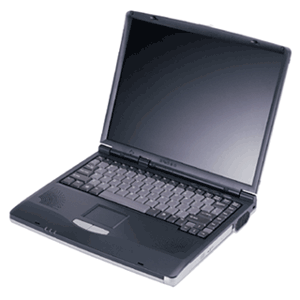
Lower prices are part of the natural order in the world of electronics. Sometimes, though, the slow but relentless drop in price turns into a torrent. That's happening now in personal computers.
Prices are falling fast on notebook computers, as much as 18.5 percent so far this year, according to statistics compiled by Current Analysis, a market research firm. The bulk of notebooks now sell for less than $1,000.
The lower-priced notebooks are pushing desktop prices down, too. "I would expect even more intense price competition," said Charles Smulders, an analyst with Gartner, another market research firm.
The pace of price cuts has accelerated because a price war has broken out that offers great benefits to anyone in the market for a PC. And that could be a pretty large market. Forrester Research estimates that 70 percent of PC's in use are more than two years old and 90 percent of second, third and fourth computers are even older. The wars started quietly a year ago this week when Acer, a PC maker in Taiwan, re-entered the American market. The strategy was to get into the top tier of PC vendors as quickly as possible, which meant it would grab market share by keeping prices low.
Acer and other makers took business from Dell, which began to look less like the growth company that its investors were accustomed to. Dell's response came earlier this year as it cut prices.
Intel, meanwhile, was losing a significant portion of the microprocessor market to Advanced Micro Devices. Intel's share dropped to 77.9 percent from 81.5 percent in the first quarter of this year, according to Gartner, while A.M.D.'s market share grew to 20.4 percent from 16.6 percent two years ago. Intel is fighting to win back share, which means PC makers use the rivalry to get a price break.
Apple switched its processor to an Intel chip. Apple also makes running Windows applications on a Mac very easy. Owners of iPods are beginning to notice that Apple does more than sell music.
At the same time, Microsoft has pushed back the release of Vista, its new operating system, from before Christmas to early next year. Normally that would slow PC sales. But Microsoft is considering whether to offer incentives for consumers to buy PC's before Vista's release.
Some analysts had expected coming into the year that prices would actually go up slightly. Instead, the average price of a notebook computer dropped to $963 in April, an 18.5 percent decrease from a year ago, according to Current Analysis, which is based in Sterling, Va.
When an electronic device breaks through the $1,000 psychological barrier, sales take off. Samir Bhavnani, director for research at Current Analysis, said 37 percent more notebooks have been sold so far this year. About 60 percent of all notebook computers sold last month were priced below $1,000. He credits Dell, saying, "They love getting down in the mud."
Dell is running a promotion, which it bills as a celebration of its 22nd anniversary, with a $400 discount on PC's, plus a free monitor and free shipping.
Another statistic will tell you just how good consumers have it. While the number of notebooks sold is up 37 percent, revenue growth in the period is up only 15.5 percent, Mr. Bhavnani said. Companies are making less money on each notebook. Desktop computers are literally being given away. Retailers sold 14.8 percent more of them in the first five months of the year, but revenue declined 4 percent, Mr. Bhavnani said. Half of the computers sold for less than $500.
Consider the Hewlett-Packard Compaq Presario desktop offered this week at Office Depot. For $300 you get a PC with 512 megabytes of RAM and a 100-gigabyte hard drive. Office Depot tossed in a 17-inch CRT monitor and a printer.
"The material cost, before the printer, was around $400," estimated Mark Hill, Acer's vice president for sales in the United States. "It's crazy." Not that he's complaining. Acer has gained one point of market share this year by artful pricing.
So how does a consumer play this? As always with electronics, it is worth waiting. Expect even better deals around the Christmas season. But if you need to get one now, you certainly won't suffer. Deals will abound during the back-to-school season, which starts in June just as the school year ends.
Many consumers will end up waiting for Vista, Microsoft's new operating system. Some analysts expect that to keep computer sales from flagging during the year-end holidays, manufacturers will pressure Microsoft to offer a free upgrade to Vista to anyone buying a new PC.
Decide on the particular features you want on the computer. A notebook with one gigabyte of random access memory and an 80-gigabyte hard drive is recommended. Don't worry about the processor. Unless you are using the computer for designing nuclear power plants or playing video games professionally, any one of them on the market will serve you well.
Why a notebook, rather than a desktop? Convenience, mostly. Desktop models are becoming a relic of a bygone era as the artificial price difference between notebooks and desktops collapse. Notebooks now outsell desktops in stores. IDC estimates that by the middle of next year, more than half of all PC's sold will be notebooks.
Decide on a size. The computers that weigh less than four pounds are considered ultra portables, the kind you take on business trips. Anything heavier is a desktop replacement, perfect for moving from room to room or on a jaunt to the coffee shop. Go to a store to test the heft.
Reflect on how much style you want. As this category matures, manufacturers differentiate their products by making some notebooks look prettier than others. They charge more for anything on the color wheel besides gray and anything that glows.
Then watch the prices at retailers and at the manufacturers' Web sites. The last time you bought a PC, the best deals were probably online. That's not necessarily true anymore. The best deals can be inside the stores because those retailers are using PC's and notebooks in particular as loss leaders to drive traffic.
Here is another business trend that is helping consumers. As the prices of PC's drop, even if retailers sell more units their year-on-year revenue comparisons may drop. Investors closely watch that figure. So stores need to bolster revenue by selling even more of them. They do that by offering even better deals on notebooks because notebook buyers tend to buy other gear like bags and home networking equipment.
The brand you pick will depend on which one gives you the most computer for the price. Current Analysis compiles a "competitive value index" that measures the price of PC's against the features offered. When it looks at computers sold in all channels, the top berths go to Acer, Gateway, Dell and Hewlett-Packard.
Columns providing advice on buying a computer usually have a paragraph or two where the writer pauses and briefly genuflects at Apple. Great computer, they'll say, but — there is always that but — they carry a premium of 20 percent to 30 percent over a similarly configured computer running Windows.
Here comes those paragraphs. However, that required "but" may soon be retired. Gene Munster, a senior research analyst with Piper Jaffray in Minneapolis, compared Mac notebooks with similarly equipped notebook computers running Windows and discovered that the premium for a Mac is now only about 10 percent. "I don't think consumers go through this exercise," he said. The premium shrank, not because Apple cut its prices, Mr. Munster said, but because Apple, in switching to an Intel processor, increased the performance of its Macs, and then didn't raise prices.
A few more consumers may notice. Apple's market share, which climbed as high as 2.5 percent last year before the switch to Intel, has grown from 1.8 percent. Macs compete at the high end of the PC market, where the machines costing more than $1,500 are loaded with multimedia features like TV tuners and bigger hard drives to store photos, videos and music. Some have special chips designed to enhance the performance of video games. Price cuts have not been as deep up there, which is one reason Mr. Munster thinks the premium won't go back to 30 percent.
He said that the media viewing and editing software that comes with the Mac compensates for much of the remaining premium. "Apples are always going to be at a premium," he said.
Monday, May 15, 2006
Windows Live Mail Beta
Betas used to be considered dangerous. Now some applications (e.g. GMail) never give up there beta status but just continue adding features.
Microsoft's Windows Live Mail Beta is an upgrade to it's Hotmail email product. It's an excellent product that takes advantage of programs like AJAX to offer an Outlook-like experience with a web based product.
The clincher for me is Live Mail's auto spellcheck. Like recent versions of Microsoft Word it flags your spelling errors a they occur. Adios typos.
Microsoft's Windows Live Mail Beta is an upgrade to it's Hotmail email product. It's an excellent product that takes advantage of programs like AJAX to offer an Outlook-like experience with a web based product.
The clincher for me is Live Mail's auto spellcheck. Like recent versions of Microsoft Word it flags your spelling errors a they occur. Adios typos.
Subscribe to:
Posts (Atom)