June 17, 2006
Your Money
Now, Free Ways to Do Desktop Work on the Web
By DAMON DARLIN
The biggest expense in buying a new computer is not always the computer. After all, you can buy a new Dell desktop, and a good one at that, for $300 and get a monitor in the bargain.
The software to make a PC do anything useful can cost you as much as the computer. To accomplish even the most basic functions on the computer, like writing, you could pay $400 for the standard edition of Microsoft's Office suite that includes Word for word processing, Excel for spreadsheets, Outlook for e-mail and PowerPoint for boring everyone with slideshow presentations.
You can find software that is cheaper. Yet a stripped-down student and teacher edition of Word still costs $150 and even Microsoft Works 8.0, a really basic version of Word and Excel, is $50.
There is another way to do almost everything these programs can do — some would say you can actually do more — and you can do it free. A number of smart programmers have developed word processing, spreadsheet, calendar and other software that you operate while in a Web browser.
No one is saying they are a direct substitute for Word or Excel, but they do have a distinct advantage. The programs can be used by several people at different computers to collaborate on a document.
"It's solving an actual real problem," said Sam Schillace, a founder of Upstartle, which makes the Writely software for word processing. Google bought the company for that software this year.
Google is the biggest and best-financed company putting such software online. It is gradually opening to the public the Spreadsheets program it announced last week, and it plans to release a version of a word processing program soon. A number of smaller software companies are doing similar things.
Where is Microsoft, the software giant, in all this? Interesting question. It is expected that Microsoft will offer a similar product via its Net-centric Office Live and Windows Live initiatives, which convert the desktop to the Web top. It may be a tough choice for the company, because it faces the dilemma of cannibalizing its own products or letting someone else take a bite out of them.
Microsoft, which carved a near monopoly in word processing and spreadsheet software, has up to now been able to protect its high prices. But a monopoly, a few laissez-faire economists argue, will eventually succumb to competition. This could become a textbook example: innovators are attracted by the profit pool and undermine the monopoly with something different.
You have always had the ability to edit a document in a browser, including Microsoft's Internet Explorer, by opening the file in HTML format. You can still do that in a pinch, but no one recommends it because that method is pretty bare-bones. You can not automatically check the spelling or easily change to unusual fonts, for example.
The new programs take word processing a step further. If you have already been using a free e-mail program like Yahoo Mail or Google Gmail, you have some experience with substituting tools on the Web for programs residing on the hard drive of your computer. Of course, to take advantage of them, you have to get over two hurdles. One, you can use them only if you are connected to the Internet. And you must be comfortable with the idea that your addresses, your correspondence and your documents don't reside on your hard drive in your computer in your home. They are stored at sites controlled by a giant company.
The new online applications add functions to that basic browser ability by using a set of software tools known among developers as Ajax. These tools enable a host of so-called Web 2.0, or Web services, applications like Google maps posted in Web sites or photos displayed on Flickr.com.
Google Spreadsheets is a good example. (You can find the program at Google Labs, labs.google.com, but to use it you have to sign up for a Google account first. No one said free meant easy.) An alternative is Jotspot (www.jot.com), though its products are aimed more at business users.
Google Spreadsheets has many of the features you use in Excel, like the ability to sort, change typefaces or color and insert a variety of set formulas. The developers plan to add other features like auto fill.
You can save the document to your hard drive or to the Google servers. Once it is there, you can access the spreadsheet from any computer, which means you no longer have to load it onto a disk or flash drive to carry it home or to another office, or send it there by e-mail.
Because the document is stored on the Google servers, you can give permission for other people with Google accounts to open and work on it. A team can work on it together to make changes. The file can also be opened in Excel.
Jonathan Rochelle, product manager for Spreadsheets, said people were using it to create lists and share them with groups, like a soccer team or fellow students. Wedding planning becomes a little easier as couples use the multiple pages of the spreadsheet to track guests, accommodations and menu selection. He used it himself to help his father with a budget while the two were in different cities.
Google's word processing software will work the same way. It has not been released yet, but an early version of the browser tool had every necessary function of Word except auto correct, where misspellings are changed on the fly. That feature is coming, Mr. Schillace said. "We haven't been able to do it smoothly."
He said one early tester of Writely was the daughter of a divorced couple who have joint custody. The father told Mr. Schillace that she had been able to do her homework at either house and never had to worry about forgetting an assignment at one house or the other.
If you don't want to wait for Google, a similar browser application is already available called Zoho Writer at www.zohowriter.com. (I wrote most of this article on Zoho with as much ease as writing with Microsoft Word.) Writeboard (www.writeboard.com) is a competitor. Another program, called Ajax Write (www.ajaxwrite.com), lacks the spell checking and word count functions that Word has taught us to rely upon.
But you need not stop there. Applications for coordinating calendars among friends and family is another popular application that replaces some of the functions of Microsoft's Outlook program. Yahoo and Google have some, but there are others, including one from a start-up named 30Boxes (www.30boxes.com) that is very easy to use. Microsoft is also beginning to offer collaborative Web tools.
If you like the idea of making your Web browser do more work, you might also download the Firefox browser, made by another competitor nipping at Microsoft's heels (at www.mozilla.com/firefox). Then you can start using any of the hundreds of add-ons, called extensions, that independent programmers have created to add functions to the browser, for example, the ability to synchronize bookmarks between computers, block ads or download video faster.
Google Labs offers some of them. One of the most useful is Notebook. It puts a little button on the frame of your browser that organizes snippets of information you find on the Web into folders that are then accessible from any computer. When you are on a Web site and you see something you want to save, you highlight it, right-click your mouse, click on "Note this" in the dropdown menu, and your search is saved.
Clipmarks (www.clipmarks.com) adds an element of the social networking that you find on Facebook or MySpace.
A more fully featured alternative to Google Notebook is coming soon from Plum Ventures, a small start-up company based in San Francisco. You can join the waiting list at www.plum.com. With the application you can collect information, whether Web sites, photos, music or text files, and then annotate it and share it with others.
You can also make your lists public, to share with strangers. A founder, Hans Peter Brondmo, said, "People like to watch what others are doing." He calls this "info-voyeurism."
That you can do it free only makes it better.
Saturday, June 17, 2006
Saturday, May 27, 2006
How To Get A Bargain On A New PC
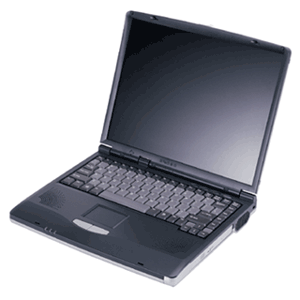
May 27, 2006
Your Money:
Timing the Electronics Market for the Best Deal on a New PC
By DAMON DARLIN
Lower prices are part of the natural order in the world of electronics. Sometimes, though, the slow but relentless drop in price turns into a torrent. That's happening now in personal computers.
Prices are falling fast on notebook computers, as much as 18.5 percent so far this year, according to statistics compiled by Current Analysis, a market research firm. The bulk of notebooks now sell for less than $1,000.
The lower-priced notebooks are pushing desktop prices down, too. "I would expect even more intense price competition," said Charles Smulders, an analyst with Gartner, another market research firm.
The pace of price cuts has accelerated because a price war has broken out that offers great benefits to anyone in the market for a PC. And that could be a pretty large market. Forrester Research estimates that 70 percent of PC's in use are more than two years old and 90 percent of second, third and fourth computers are even older. The wars started quietly a year ago this week when Acer, a PC maker in Taiwan, re-entered the American market. The strategy was to get into the top tier of PC vendors as quickly as possible, which meant it would grab market share by keeping prices low.
Acer and other makers took business from Dell, which began to look less like the growth company that its investors were accustomed to. Dell's response came earlier this year as it cut prices.
Intel, meanwhile, was losing a significant portion of the microprocessor market to Advanced Micro Devices. Intel's share dropped to 77.9 percent from 81.5 percent in the first quarter of this year, according to Gartner, while A.M.D.'s market share grew to 20.4 percent from 16.6 percent two years ago. Intel is fighting to win back share, which means PC makers use the rivalry to get a price break.
Apple switched its processor to an Intel chip. Apple also makes running Windows applications on a Mac very easy. Owners of iPods are beginning to notice that Apple does more than sell music.
At the same time, Microsoft has pushed back the release of Vista, its new operating system, from before Christmas to early next year. Normally that would slow PC sales. But Microsoft is considering whether to offer incentives for consumers to buy PC's before Vista's release.
Some analysts had expected coming into the year that prices would actually go up slightly. Instead, the average price of a notebook computer dropped to $963 in April, an 18.5 percent decrease from a year ago, according to Current Analysis, which is based in Sterling, Va.
When an electronic device breaks through the $1,000 psychological barrier, sales take off. Samir Bhavnani, director for research at Current Analysis, said 37 percent more notebooks have been sold so far this year. About 60 percent of all notebook computers sold last month were priced below $1,000. He credits Dell, saying, "They love getting down in the mud."
Dell is running a promotion, which it bills as a celebration of its 22nd anniversary, with a $400 discount on PC's, plus a free monitor and free shipping.
Another statistic will tell you just how good consumers have it. While the number of notebooks sold is up 37 percent, revenue growth in the period is up only 15.5 percent, Mr. Bhavnani said. Companies are making less money on each notebook. Desktop computers are literally being given away. Retailers sold 14.8 percent more of them in the first five months of the year, but revenue declined 4 percent, Mr. Bhavnani said. Half of the computers sold for less than $500.
Consider the Hewlett-Packard Compaq Presario desktop offered this week at Office Depot. For $300 you get a PC with 512 megabytes of RAM and a 100-gigabyte hard drive. Office Depot tossed in a 17-inch CRT monitor and a printer.
"The material cost, before the printer, was around $400," estimated Mark Hill, Acer's vice president for sales in the United States. "It's crazy." Not that he's complaining. Acer has gained one point of market share this year by artful pricing.
So how does a consumer play this? As always with electronics, it is worth waiting. Expect even better deals around the Christmas season. But if you need to get one now, you certainly won't suffer. Deals will abound during the back-to-school season, which starts in June just as the school year ends.
Many consumers will end up waiting for Vista, Microsoft's new operating system. Some analysts expect that to keep computer sales from flagging during the year-end holidays, manufacturers will pressure Microsoft to offer a free upgrade to Vista to anyone buying a new PC.
Decide on the particular features you want on the computer. A notebook with one gigabyte of random access memory and an 80-gigabyte hard drive is recommended. Don't worry about the processor. Unless you are using the computer for designing nuclear power plants or playing video games professionally, any one of them on the market will serve you well.
Why a notebook, rather than a desktop? Convenience, mostly. Desktop models are becoming a relic of a bygone era as the artificial price difference between notebooks and desktops collapse. Notebooks now outsell desktops in stores. IDC estimates that by the middle of next year, more than half of all PC's sold will be notebooks.
Decide on a size. The computers that weigh less than four pounds are considered ultra portables, the kind you take on business trips. Anything heavier is a desktop replacement, perfect for moving from room to room or on a jaunt to the coffee shop. Go to a store to test the heft.
Reflect on how much style you want. As this category matures, manufacturers differentiate their products by making some notebooks look prettier than others. They charge more for anything on the color wheel besides gray and anything that glows.
Then watch the prices at retailers and at the manufacturers' Web sites. The last time you bought a PC, the best deals were probably online. That's not necessarily true anymore. The best deals can be inside the stores because those retailers are using PC's and notebooks in particular as loss leaders to drive traffic.
Here is another business trend that is helping consumers. As the prices of PC's drop, even if retailers sell more units their year-on-year revenue comparisons may drop. Investors closely watch that figure. So stores need to bolster revenue by selling even more of them. They do that by offering even better deals on notebooks because notebook buyers tend to buy other gear like bags and home networking equipment.
The brand you pick will depend on which one gives you the most computer for the price. Current Analysis compiles a "competitive value index" that measures the price of PC's against the features offered. When it looks at computers sold in all channels, the top berths go to Acer, Gateway, Dell and Hewlett-Packard.
Columns providing advice on buying a computer usually have a paragraph or two where the writer pauses and briefly genuflects at Apple. Great computer, they'll say, but — there is always that but — they carry a premium of 20 percent to 30 percent over a similarly configured computer running Windows.
Here comes those paragraphs. However, that required "but" may soon be retired. Gene Munster, a senior research analyst with Piper Jaffray in Minneapolis, compared Mac notebooks with similarly equipped notebook computers running Windows and discovered that the premium for a Mac is now only about 10 percent. "I don't think consumers go through this exercise," he said. The premium shrank, not because Apple cut its prices, Mr. Munster said, but because Apple, in switching to an Intel processor, increased the performance of its Macs, and then didn't raise prices.
A few more consumers may notice. Apple's market share, which climbed as high as 2.5 percent last year before the switch to Intel, has grown from 1.8 percent. Macs compete at the high end of the PC market, where the machines costing more than $1,500 are loaded with multimedia features like TV tuners and bigger hard drives to store photos, videos and music. Some have special chips designed to enhance the performance of video games. Price cuts have not been as deep up there, which is one reason Mr. Munster thinks the premium won't go back to 30 percent.
He said that the media viewing and editing software that comes with the Mac compensates for much of the remaining premium. "Apples are always going to be at a premium," he said.


Monday, May 15, 2006
Windows Live Mail Beta
Betas used to be considered dangerous. Now some applications (e.g. GMail) never give up there beta status but just continue adding features.
Microsoft's Windows Live Mail Beta is an upgrade to it's Hotmail email product. It's an excellent product that takes advantage of programs like AJAX to offer an Outlook-like experience with a web based product.
The clincher for me is Live Mail's auto spellcheck. Like recent versions of Microsoft Word it flags your spelling errors a they occur. Adios typos.
Microsoft's Windows Live Mail Beta is an upgrade to it's Hotmail email product. It's an excellent product that takes advantage of programs like AJAX to offer an Outlook-like experience with a web based product.
The clincher for me is Live Mail's auto spellcheck. Like recent versions of Microsoft Word it flags your spelling errors a they occur. Adios typos.
Tuesday, March 07, 2006
What to Upgrade and How to Do It
Joel Durham Jr. - ExtremeTech
Three years ago, when you bought it, your new super-system seemed to be the ultimate computer, the PC with which you could rise to power and rule the world! It chewed through the most demanding games like a shredder eating envelopes; it let you run a half-dozen office applications at a time with no pauses, even with anti-virus and scheduling apps running in the background. It was supreme.
As the months flew by, software became more demanding. Minimum system requirements crawled up the CPU scale; what in one version required 500MHz in its latest revision wants 2GHz. Doom 3 came out, and your system would only spit out 14 frames per second with average detail levels. When you jump from one application on the taskbar to another, there's a noticeable pause while the hard drive churns and you wait. And wait.
In fact, you find yourself waiting more and more for everything you do. From loading apps to encoding home movies or changing a TIFF to a JPEG, you simply hate the fact that you can actually go and get a cup of coffee while the computer sits there and thinks.
It very well could be time to upgrade your system. That's not to say you have to toss the whole thing out and start with a brand-new computer; most PCs can at least accept minor upgrades, and desktop systems built with standard parts are almost completely interchangeable.
But how do you tell exactly which component needs to be upgraded? And how do you know if your particular system will accept an upgrade? Where do you buy the parts? What steps do you take to perform the upgrade itself? Read on.
What's Dogging Your System?
When your system seems sluggish, you first need to narrow down the symptoms to find the culprit. Could it be a lack of sufficient main memory? A pokey graphics card? An aging CPU? What about a stuffed-full hard drive? Deciding what needs to be upgraded requires a bit of detective work.
Let's look at some symptoms, and the part that most likely causes them:
SYMPTOM: You've installed a new, super-powerful GeForce 7800-based graphics card. Ever since then, when you play 3-D games, the computer sometimes crashes or reboots. You've checked the connection and it's fine, the card is powered, and its GPU fan is running.
SOLUTION: Check your power supply. Those new cards pull well over 75 watts alone. If your system's PSU was just getting by with its current components, the new load could be causing it to brown out other components when the graphics card demands its utmost power draw. Get a 500+ watt PSU with dual 12V rails.
SYMPTOM: Everything works great--except new games. You used to be able to run Quake 3 Arena at 125 frames per second. Quake 4 barely makes it over 15 fps. You meet the minimum requirements, so what gives?
SOLUTION: You should swap out your computer's graphics card. Newer cards not only have more raw processing power, but also more memory. Look for a modern GeForce series 6 or 7 series, or a Radeon X800 or higher, with at least 256MB of local memory.
SYMPTOM: Everything is slow. Loading programs takes forever, when it used to be speedy. Changing from one open program to another through the taskbar or Alt-Tab brings the system to a crawl. No matter what you do, it takes forever.
SOLUTION: Check your hard drive space. It sounds like it's so full that the paging file is fragmented, and therefore everything that swaps data to the hard drive in lieu of main memory is going to drag down system performance. You could either install a bunch more memory to stave off the computer's need to swap, uninstall anything you don't use on your current hard drive and run Disk Cleanup to clear up as much space as possible, or upgrade the hard drive itself to a much larger size.
SYMPTOM: You've discovered your artistic bent and begun editing movies and pictures and rendering 3-D objects and scenes. The problem is, when you do something like encode a video, render the 3-D stuff or save big picture files that you've altered, it takes eons to complete the process.
SOLUTION: Those are CPU-intensive activities. The processor crunches all of the operations necessary to transform and render the images. A faster CPU would make a world of difference.
SYMPTOM: The system boots up quickly and works great when you use one or two programs at once, but as you open more applications, it starts to slow down. This is especially noticeable when you have a program that loads lots of huge files, like PhotoShop Elements, with a bunch of massive TIFF images open.
SOLUTION: You need more memory to handle all that up-front computing. The data and program files of open programs are stored in main memory, but when that bank runs out of room, they're swapped to the much slower paging file. More memory will allow more programs and data to reside in the much faster main memory area.
Can You Upgrade?
Now that you have an idea of what needs to be upgraded, you have to determine whether your computer will handle the upgrade. This requires research on your part. You must first find out what your computer's motherboard is capable of, the form factor of your computer case, PSU and motherboard, and more. This may require you to research the motherboard manual, or even do research at the motherboard manufacturer's Web site. You also will have to open the case.
Before opening the computer case, power down the PC and unplug it. Be static safe; use an antistatic bracelet properly or plant your feet and ground yourself before you reach into the PC. Handle circuit boards by the edges and, whether removing or installing something, don't force it. You might break something.
? For a CPU upgrade, learn the fastest CPU your computer's motherboard will support (check the manual). If it won't support a CPU significantly faster than the one it's already rocking, you need to upgrade the motherboard.
? For memory, remember that Windows XP only makes use of a maximum of 4GB of RAM. Find out your computer's current memory configuration, how many memory slots it has, what type of modules are installed and so on. Then, research the motherboard manual for acceptable configurations. Can you add memory, or must you replace the modules already installed? Note: don't mix memory types. If your computer has, for instance, PC3200 memory already installed, and you plan to add to it, add PC3200 memory.
? For the graphics card, make sure you get a replacement that fits the proper slot. Graphics cards come in both AGP and PCI Express X16 varieties, and they're not interchangeable.
? For the hard drive, make sure you get a drive with the same interface. Don't get a SATA (Serial ATA) drive if your motherboard doesn't support it unless you also purchase a SATA adapter. For a drop-in replacement, find out what interface your old hard drive supports (IDE or SATA) and get a drive of the same type with a larger capacity.
? For a motherboard replacement, you need to learn the form factor of the board and get a replacement that will fit your case. Anything not compatible with the new board (possibly the CPU, memory, power supply and graphics card) will have to be replaced.
? For the power supply, be sure to get the same type with all of the necessary connectors connectors.
The Basic Steps to Performing an Upgrade
? Get the right parts! Research, research, research. Check manuals, manufacturer Web sites, and every other resource to ensure compatibility with your system.
? For components with drivers: Uninstall the current drivers.
? Power down the machine. Unplug it.
? Remove the component to be upgraded if necessary. Be on the lookout for clips and brackets that secure the components in place. Expansion cards have a screw that secures them; memory modules have clips on either side of them.
o You can remove graphics cards, sound cards, CPUs and memory modules that are no longer needed.
o Don't remove memory modules that you're supplementing with more modules. If you're replacing an onboard graphics or audio solution, don't try to physically remove it from the board. Disable it in the BIOS.
o If you're removing the entire motherboard, first remove all the expansion cards, then unplug all of the cabling. Remove all of the screws holding it in place. Gently remove it from the case.
o If you're removing a hard drive, note that many hard drives reside in removable brackets. Remove the bracket itself, then remove the hard drive.
o If you're removing an optical drive, pay attention to whether the case uses drive rails to seat the 5-inch external drives. If it does, look at how the drive rails are attached to the drive, and replicate their configuration when you prepare to install the new drive.
? Install the new component.
o If you're installing a motherboard, it helps to first install its CPU, memory and any cables that will reach, before placing it in the case and screwing it down. Before seating it, install the riser bezel (the metal shield that fits in the rectangular area where the ports, like the USB and Ethernet ports, reside.)
o If you're installing memory, seat it gently into place and then press along its length evenly until it snaps into its sockets.
o Secure drives with all four screws to reduce vibration and extend the life of the drive. This is especially true for hard drives.
o Make sure you cool a new CPU with a compatible cooler, and use a thermal compound between the cooler and the top of the CPU.
o Make sure expansion cards are fully seated before you screw them down.
o For a hard drive replacement, install the new drive as a slave. You can then use Norton Ghost to replicate the old drive onto the new drive, remove the old drive and discard the old drive.
? Check all of the cables and connections before powering up the computer. You may wish to power it up before you close the case, on the chance that you have to troubleshoot a loose connection.
? Fire up Windows. Install the drivers for your new equipment if necessary (and it will be necessary for graphics cards, sound cards, motherboards, other expansion cards and some CPUs). You might have to cancel the Windows hardware detection wizard and install the drivers through their own installation routine; read the instructions that came with the new part to find out for sure.
? If you've replaced a motherboard, Windows XP might not be happy without reinstalling it over the top of your current installation. It doesn't take kindly to low-level hardware replacements.
Those, in a nutshell, are some techniques to upgrading your computer. More thorough write-ups of each component could easily fill articles this size on their own, so consult the instructions that came with your components for more details. Also, hit upgrade guides on Web sites like PCMag.com and ExtremeTech.com.
Joel Durham Jr. is a freelance technology writer and author of "PC Modding for Dummies"(Wiley, 2005).
Three years ago, when you bought it, your new super-system seemed to be the ultimate computer, the PC with which you could rise to power and rule the world! It chewed through the most demanding games like a shredder eating envelopes; it let you run a half-dozen office applications at a time with no pauses, even with anti-virus and scheduling apps running in the background. It was supreme.
As the months flew by, software became more demanding. Minimum system requirements crawled up the CPU scale; what in one version required 500MHz in its latest revision wants 2GHz. Doom 3 came out, and your system would only spit out 14 frames per second with average detail levels. When you jump from one application on the taskbar to another, there's a noticeable pause while the hard drive churns and you wait. And wait.
In fact, you find yourself waiting more and more for everything you do. From loading apps to encoding home movies or changing a TIFF to a JPEG, you simply hate the fact that you can actually go and get a cup of coffee while the computer sits there and thinks.
It very well could be time to upgrade your system. That's not to say you have to toss the whole thing out and start with a brand-new computer; most PCs can at least accept minor upgrades, and desktop systems built with standard parts are almost completely interchangeable.
But how do you tell exactly which component needs to be upgraded? And how do you know if your particular system will accept an upgrade? Where do you buy the parts? What steps do you take to perform the upgrade itself? Read on.
What's Dogging Your System?
When your system seems sluggish, you first need to narrow down the symptoms to find the culprit. Could it be a lack of sufficient main memory? A pokey graphics card? An aging CPU? What about a stuffed-full hard drive? Deciding what needs to be upgraded requires a bit of detective work.
Let's look at some symptoms, and the part that most likely causes them:
SYMPTOM: You've installed a new, super-powerful GeForce 7800-based graphics card. Ever since then, when you play 3-D games, the computer sometimes crashes or reboots. You've checked the connection and it's fine, the card is powered, and its GPU fan is running.
SOLUTION: Check your power supply. Those new cards pull well over 75 watts alone. If your system's PSU was just getting by with its current components, the new load could be causing it to brown out other components when the graphics card demands its utmost power draw. Get a 500+ watt PSU with dual 12V rails.
SYMPTOM: Everything works great--except new games. You used to be able to run Quake 3 Arena at 125 frames per second. Quake 4 barely makes it over 15 fps. You meet the minimum requirements, so what gives?
SOLUTION: You should swap out your computer's graphics card. Newer cards not only have more raw processing power, but also more memory. Look for a modern GeForce series 6 or 7 series, or a Radeon X800 or higher, with at least 256MB of local memory.
SYMPTOM: Everything is slow. Loading programs takes forever, when it used to be speedy. Changing from one open program to another through the taskbar or Alt-Tab brings the system to a crawl. No matter what you do, it takes forever.
SOLUTION: Check your hard drive space. It sounds like it's so full that the paging file is fragmented, and therefore everything that swaps data to the hard drive in lieu of main memory is going to drag down system performance. You could either install a bunch more memory to stave off the computer's need to swap, uninstall anything you don't use on your current hard drive and run Disk Cleanup to clear up as much space as possible, or upgrade the hard drive itself to a much larger size.
SYMPTOM: You've discovered your artistic bent and begun editing movies and pictures and rendering 3-D objects and scenes. The problem is, when you do something like encode a video, render the 3-D stuff or save big picture files that you've altered, it takes eons to complete the process.
SOLUTION: Those are CPU-intensive activities. The processor crunches all of the operations necessary to transform and render the images. A faster CPU would make a world of difference.
SYMPTOM: The system boots up quickly and works great when you use one or two programs at once, but as you open more applications, it starts to slow down. This is especially noticeable when you have a program that loads lots of huge files, like PhotoShop Elements, with a bunch of massive TIFF images open.
SOLUTION: You need more memory to handle all that up-front computing. The data and program files of open programs are stored in main memory, but when that bank runs out of room, they're swapped to the much slower paging file. More memory will allow more programs and data to reside in the much faster main memory area.
Can You Upgrade?
Now that you have an idea of what needs to be upgraded, you have to determine whether your computer will handle the upgrade. This requires research on your part. You must first find out what your computer's motherboard is capable of, the form factor of your computer case, PSU and motherboard, and more. This may require you to research the motherboard manual, or even do research at the motherboard manufacturer's Web site. You also will have to open the case.
Before opening the computer case, power down the PC and unplug it. Be static safe; use an antistatic bracelet properly or plant your feet and ground yourself before you reach into the PC. Handle circuit boards by the edges and, whether removing or installing something, don't force it. You might break something.
? For a CPU upgrade, learn the fastest CPU your computer's motherboard will support (check the manual). If it won't support a CPU significantly faster than the one it's already rocking, you need to upgrade the motherboard.
? For memory, remember that Windows XP only makes use of a maximum of 4GB of RAM. Find out your computer's current memory configuration, how many memory slots it has, what type of modules are installed and so on. Then, research the motherboard manual for acceptable configurations. Can you add memory, or must you replace the modules already installed? Note: don't mix memory types. If your computer has, for instance, PC3200 memory already installed, and you plan to add to it, add PC3200 memory.
? For the graphics card, make sure you get a replacement that fits the proper slot. Graphics cards come in both AGP and PCI Express X16 varieties, and they're not interchangeable.
? For the hard drive, make sure you get a drive with the same interface. Don't get a SATA (Serial ATA) drive if your motherboard doesn't support it unless you also purchase a SATA adapter. For a drop-in replacement, find out what interface your old hard drive supports (IDE or SATA) and get a drive of the same type with a larger capacity.
? For a motherboard replacement, you need to learn the form factor of the board and get a replacement that will fit your case. Anything not compatible with the new board (possibly the CPU, memory, power supply and graphics card) will have to be replaced.
? For the power supply, be sure to get the same type with all of the necessary connectors connectors.
The Basic Steps to Performing an Upgrade
? Get the right parts! Research, research, research. Check manuals, manufacturer Web sites, and every other resource to ensure compatibility with your system.
? For components with drivers: Uninstall the current drivers.
? Power down the machine. Unplug it.
? Remove the component to be upgraded if necessary. Be on the lookout for clips and brackets that secure the components in place. Expansion cards have a screw that secures them; memory modules have clips on either side of them.
o You can remove graphics cards, sound cards, CPUs and memory modules that are no longer needed.
o Don't remove memory modules that you're supplementing with more modules. If you're replacing an onboard graphics or audio solution, don't try to physically remove it from the board. Disable it in the BIOS.
o If you're removing the entire motherboard, first remove all the expansion cards, then unplug all of the cabling. Remove all of the screws holding it in place. Gently remove it from the case.
o If you're removing a hard drive, note that many hard drives reside in removable brackets. Remove the bracket itself, then remove the hard drive.
o If you're removing an optical drive, pay attention to whether the case uses drive rails to seat the 5-inch external drives. If it does, look at how the drive rails are attached to the drive, and replicate their configuration when you prepare to install the new drive.
? Install the new component.
o If you're installing a motherboard, it helps to first install its CPU, memory and any cables that will reach, before placing it in the case and screwing it down. Before seating it, install the riser bezel (the metal shield that fits in the rectangular area where the ports, like the USB and Ethernet ports, reside.)
o If you're installing memory, seat it gently into place and then press along its length evenly until it snaps into its sockets.
o Secure drives with all four screws to reduce vibration and extend the life of the drive. This is especially true for hard drives.
o Make sure you cool a new CPU with a compatible cooler, and use a thermal compound between the cooler and the top of the CPU.
o Make sure expansion cards are fully seated before you screw them down.
o For a hard drive replacement, install the new drive as a slave. You can then use Norton Ghost to replicate the old drive onto the new drive, remove the old drive and discard the old drive.
? Check all of the cables and connections before powering up the computer. You may wish to power it up before you close the case, on the chance that you have to troubleshoot a loose connection.
? Fire up Windows. Install the drivers for your new equipment if necessary (and it will be necessary for graphics cards, sound cards, motherboards, other expansion cards and some CPUs). You might have to cancel the Windows hardware detection wizard and install the drivers through their own installation routine; read the instructions that came with the new part to find out for sure.
? If you've replaced a motherboard, Windows XP might not be happy without reinstalling it over the top of your current installation. It doesn't take kindly to low-level hardware replacements.
Those, in a nutshell, are some techniques to upgrading your computer. More thorough write-ups of each component could easily fill articles this size on their own, so consult the instructions that came with your components for more details. Also, hit upgrade guides on Web sites like PCMag.com and ExtremeTech.com.
Joel Durham Jr. is a freelance technology writer and author of "PC Modding for Dummies"(Wiley, 2005).
Monday, March 06, 2006
Windows Defender
Microsoft Tests a Windows Defense
By Rob Pegoraro
Sunday, March 5, 2006; F07
When computing experts say you should never try out beta-test versions of any system-utility software, they're almost always right. A bug in a program that lives in the core of a PC's software could lead to a complete meltdown, not just the usual crashes.
So what's something called Windows Defender (Beta 2) doing on Microsoft's home page, atop the "Popular Downloads" list?
Microsoft first released this free anti-spyware tool as "Windows AntiSpyware" in January 2005, a month after it bought the program's developer, Giant Software Co. After 13 months of development, a few revisions and one name change, this program still isn't finished-- but in that time, Windows Defender has persuaded many users to disregard the rule about beta system utilities.
I can see why. By policing how new programs try to modify Windows, Defender has swatted away much of the spyware I've thrown at it while staying out of the way otherwise. (The unwanted programs it couldn't evict defied the efforts of competing spyware removers, too.)
And it provides something horribly overdue in Windows: a simple way to inspect all the software active on a computer, including those normally hidden from view.
Plus, Windows Defender is a free security tool from Microsoft, the company whose design decisions made it so easy for spyware to invade Windows in the first place. It only seems right for Microsoft to make amends in this way.
Defender is no panacea -- the name alone oversells an application lacking anti-virus or firewall defenses. But it's a sensible way to help keep a Windows 2000 or XP PC free of hidden programs tossing up ads (adware) or tracking your online habits (spyware).
Downloading Defender ( http://www.microsoft.com/windowsdefender ) involves one brief annoyance; you must verify that you're not using a stolen copy of Windows by running a small program, either in your browser or from your hard drive. From then on, it's a quick, restart-free process to install this program, update its spyware database and scan your computer.
As it has revised Defender over the past year, Microsoft has steadily pared away its interface. Its main screen now features a total of nine buttons -- worlds simpler than most competitors.
Unfortunately, you'll have to dig a little deeper to get Defender in its most secure state. It comes preset to grant you veto power only over the actions of known offenders, a take-candy-from-strangers approach that invites trouble. (Older versions of Defender were more aggressive about this.) Click the Tools icon, then select General Settings to fix that oversight.
On a clean PC, Defender stays invisible except when it updates itself and scans the system overnight. Unlike most spyware removers, it correctly distinguishes between browser cookies set by advertising sites-- tiny, easily blocked, inert text files that can't do anything on their own-- and live software code.
If you download from the Web's sketchier sources, Defender will act, depending on when it identifies a new program as spyware. It can flag some as they download, but others go unnoticed until their installers try to force-feed code into the guts of Windows.
For example, Defender blocked downloads of the Kazaa and BearShare file-sharing programs and the Zango "search assistant." But an instant-messaging program bundling the same Zango software went unnoticed until its setup started. The same happened with a screensaver harboring the "Best Offers Direct" spyware (unlike an earlier Defender release a few months ago). But after a few system scans and reboots, Defender reported the system clean; other anti-spyware tools agreed.
Then, to simulate the stupidest behavior possible, I visited a site advertising pirated copies of computer games and invited it to install a strange ActiveX program in Internet Explorer. This time, Defender first did nothing, then threw up a flurry of dialog boxes as it tried to remove the junk spawned by this download.
Restart followed restart as Defender kept finding new instances of this "Look2Me" spyware. Once or twice, it gave a "no unwanted or harmful software detected" verdict even as new ads popped up.
But one of the most popular spyware removers, the usually effective Spybot Search & Destroy, also gave this computer a thumbs-up. Neither that nor any other program I tried could expel this nuisance; after several hours I wiped the hard drive and reinstalled Windows.
You'd be foolish to rely on Windows Defender alone to rid Windows of spyware. But you'd be about as foolish to rely on any other single anti-spyware utility.
Keep a few on hand, but also use your own common sense and switch to safer software-- like the Firefox and Opera Web browsers, which lack the ActiveX feature exploited by the pirated-games site.
Or you could just get a Mac.
Even Windows users who can stay out of trouble on their own can benefit from Defender, however. With the change in its settings outlined above, this program makes it easy to restrain many installers' pushy habits -- for instance, the 11 system-setting changes Yahoo Music Engine's setup makes, most unrelated to playing digital music.
Meanwhile, Defender's Software Explorer (in its Tools screen) offers a helpful view of what's active on your computer. It lists all the programs running now, those that launch at start-up and those that connect to the Internet -- providing not just the usual cryptic file names ("S24EvMon.exe"), but also their full names, their developers' names, whether they belong to Windows, when they were installed and so on. You can shut down or disable most of these programs with one click -- though removing them may take a trip to the Add or Remove Programs control panel.
Microsoft says Windows Defender will be built into Windows Vista, the replacement for XP due this fall; I'd expect to see a finished version of Defender for XP and 2000 by then. But the spyware problem in Windows is a mess now, and Defender can help remedy that. It would be a mistake to ignore it just because of the "Beta" in its name.
By Rob Pegoraro
Sunday, March 5, 2006; F07
When computing experts say you should never try out beta-test versions of any system-utility software, they're almost always right. A bug in a program that lives in the core of a PC's software could lead to a complete meltdown, not just the usual crashes.
So what's something called Windows Defender (Beta 2) doing on Microsoft's home page, atop the "Popular Downloads" list?
Microsoft first released this free anti-spyware tool as "Windows AntiSpyware" in January 2005, a month after it bought the program's developer, Giant Software Co. After 13 months of development, a few revisions and one name change, this program still isn't finished-- but in that time, Windows Defender has persuaded many users to disregard the rule about beta system utilities.
I can see why. By policing how new programs try to modify Windows, Defender has swatted away much of the spyware I've thrown at it while staying out of the way otherwise. (The unwanted programs it couldn't evict defied the efforts of competing spyware removers, too.)
And it provides something horribly overdue in Windows: a simple way to inspect all the software active on a computer, including those normally hidden from view.
Plus, Windows Defender is a free security tool from Microsoft, the company whose design decisions made it so easy for spyware to invade Windows in the first place. It only seems right for Microsoft to make amends in this way.
Defender is no panacea -- the name alone oversells an application lacking anti-virus or firewall defenses. But it's a sensible way to help keep a Windows 2000 or XP PC free of hidden programs tossing up ads (adware) or tracking your online habits (spyware).
Downloading Defender ( http://www.microsoft.com/windowsdefender ) involves one brief annoyance; you must verify that you're not using a stolen copy of Windows by running a small program, either in your browser or from your hard drive. From then on, it's a quick, restart-free process to install this program, update its spyware database and scan your computer.
As it has revised Defender over the past year, Microsoft has steadily pared away its interface. Its main screen now features a total of nine buttons -- worlds simpler than most competitors.
Unfortunately, you'll have to dig a little deeper to get Defender in its most secure state. It comes preset to grant you veto power only over the actions of known offenders, a take-candy-from-strangers approach that invites trouble. (Older versions of Defender were more aggressive about this.) Click the Tools icon, then select General Settings to fix that oversight.
On a clean PC, Defender stays invisible except when it updates itself and scans the system overnight. Unlike most spyware removers, it correctly distinguishes between browser cookies set by advertising sites-- tiny, easily blocked, inert text files that can't do anything on their own-- and live software code.
If you download from the Web's sketchier sources, Defender will act, depending on when it identifies a new program as spyware. It can flag some as they download, but others go unnoticed until their installers try to force-feed code into the guts of Windows.
For example, Defender blocked downloads of the Kazaa and BearShare file-sharing programs and the Zango "search assistant." But an instant-messaging program bundling the same Zango software went unnoticed until its setup started. The same happened with a screensaver harboring the "Best Offers Direct" spyware (unlike an earlier Defender release a few months ago). But after a few system scans and reboots, Defender reported the system clean; other anti-spyware tools agreed.
Then, to simulate the stupidest behavior possible, I visited a site advertising pirated copies of computer games and invited it to install a strange ActiveX program in Internet Explorer. This time, Defender first did nothing, then threw up a flurry of dialog boxes as it tried to remove the junk spawned by this download.
Restart followed restart as Defender kept finding new instances of this "Look2Me" spyware. Once or twice, it gave a "no unwanted or harmful software detected" verdict even as new ads popped up.
But one of the most popular spyware removers, the usually effective Spybot Search & Destroy, also gave this computer a thumbs-up. Neither that nor any other program I tried could expel this nuisance; after several hours I wiped the hard drive and reinstalled Windows.
You'd be foolish to rely on Windows Defender alone to rid Windows of spyware. But you'd be about as foolish to rely on any other single anti-spyware utility.
Keep a few on hand, but also use your own common sense and switch to safer software-- like the Firefox and Opera Web browsers, which lack the ActiveX feature exploited by the pirated-games site.
Or you could just get a Mac.
Even Windows users who can stay out of trouble on their own can benefit from Defender, however. With the change in its settings outlined above, this program makes it easy to restrain many installers' pushy habits -- for instance, the 11 system-setting changes Yahoo Music Engine's setup makes, most unrelated to playing digital music.
Meanwhile, Defender's Software Explorer (in its Tools screen) offers a helpful view of what's active on your computer. It lists all the programs running now, those that launch at start-up and those that connect to the Internet -- providing not just the usual cryptic file names ("S24EvMon.exe"), but also their full names, their developers' names, whether they belong to Windows, when they were installed and so on. You can shut down or disable most of these programs with one click -- though removing them may take a trip to the Add or Remove Programs control panel.
Microsoft says Windows Defender will be built into Windows Vista, the replacement for XP due this fall; I'd expect to see a finished version of Defender for XP and 2000 by then. But the spyware problem in Windows is a mess now, and Defender can help remedy that. It would be a mistake to ignore it just because of the "Beta" in its name.
Tuesday, January 03, 2006
Common Sense PC Maintenance
Basic Rules Plus Common Sense Add Up to Security
By Rob Pegoraro
Washington Post
Sunday, December 25, 2005;
For some people, the worst gift ever would be a new computer with an Internet connection. One embittered user wrote in October to say that he was "so frustrated with hackers, virus, Trojans, worms, constant upgrades, security patches, etc, etc." that he was going to suspend his Internet account.
I'm guessing that a new laptop wasn't on his wish list this year.
But many other people have been booting up new computers and wondering how to keep them secure. They are likely to get some confusing messages about that. The worst one is "you can't" -- that you must accept these intrusions because it's too hard to stop them all.
Nonsense. If you can learn to cook with fire, drive a car and pay your taxes -- all activities in which, unlike computing, failure is punishable by fines, imprisonment or death -- you can figure out how to operate a computer safely.
Two other messages merely cause people to waste a lot of time and effort.
One is that you can only keep a computer safe by using the right tools. Your PC will not be secure, the thinking goes, unless you add the correct firewall, anti-virus software and anti-spyware utilities -- with any others, you might as well leave the front door unlocked.
The other is that failure to practice the right rituals will invite the wrath of the computing gods. This leads people to do things like unplug their Internet connection every night (even though that's the easiest time for a computer to get security updates) then plug it back in each morning. They will turn off harmless Web-browsing options, just in case, and delete browser cookies that don't threaten their PC's integrity. Some will even reinstall Windows every year, just in case.
A smarter approach combines a little of both beliefs: Let your computer guard itself with a firewall and automatic updates, pick safe programs and keep them up to date, then use your common sense to spot the bait set out by the perpetrators of viruses, spyware, phishing attacks and other "malware."
This applies whether you run Windows, Mac OS X or any other system-- although the risks are far lower outside Windows.
The first step is the simplest: Turn on your computer's firewall. By screening unsolicited connections, it stops the most dangerous attacks, the network worms that can board a computer without your consent or notice. (Viruses must trick people into running them, which is why a PC guarded solely by a firewall can be kept clean if used cautiously enough.)
In any new Windows PC, the firewall is already on; don't worry about adding some other company's firewall software. In Mac OS X, open the System Preferences window and select the Sharing category to activate the built-in firewall.
The second step is to get any security fixes for your operating system. Windows XP now does this automatically, downloading and installing patches as they arrive. Mac OS X will fetch updates automatically, but you must remember to install them yourself.
Step three applies to Windows users: Run whatever anti-virus program came on the PC and make sure it will update itself past the initial trial period. That will usually require buying a yearly subscription. Pay up, or switch to the free Avast ( http://www.avast.com/eng/free_virus_protectio.html ) or AVG ( http://free.grisoft.com/ ) anti-virus utilities.
Step four also goes for Windows users: Switch from Microsoft's Internet Explorer browser to such safer replacements as Mozilla Firefox (my pick) or Opera, both available through free downloads ( http://www.mozilla.com/ and http://www.opera.com/ ). Even after dozens of security fixes, IE's basic design leaves it on a weaker footing than other browsers.
Because Microsoft's Outlook Express e-mail software shares code with Internet Explorer, it can be a risk too -- although it does effectively block access to programs attached to e-mails, the most common way for viruses to spread. This aging program also doesn't screen against spam or phishing e-mails (those messages that demand you verify a financial account but lead you to a fake site). Instead, try the free Mozilla Thunderbird, a cousin of Firefox, or Qualcomm's Eudora ( http://www.eudora.com/ ).
Step five goes for everybody: Update any programs that regularly access the Internet, such as Sun Microsystems' Java software ( http://www.java.com/ ), media programs such as iTunes and RealPlayer, the Macromedia Flash browser plug-in ( http://www.macromedia.com/flashplayer/ ) and instant-messaging applications. Most of these programs will look for new versions automatically; if not, go to each application's Web site and download a fresh copy.
Step six is the one that never ends: Use common sense when you run into the unexpected. Don't attribute omniscience to Internet sites or think that things must always work differently online than off.
That random Web page you just visited? No, it doesn't know about your computer's software, so you can ignore the ad telling you to scan your PC for trouble now .
The e-mail from the FBI, ordering you open the attached file to read about the illegal Web sites you visit? Ignore that too. If the Feds really think you're an outlaw, they would send men and women with guns to express their concern.
That e-mail alert purportedly from your bank? Think about that: If your account was really in that much trouble, wouldn't the bank call you instead of sending an e-mail you might not read until days later? If you're really worried, phone the bank yourself to check. Or type the bank's address into your browser -- ignore the link in the e-mail -- and see if any messages are waiting for you.
Don't rush to install strange new software. Let the collective expertise of the Internet help you first: Run a Google search ("Is StrangeFreeProgram spyware?") to see if other users had problems.
If you're not the only person using the computer, make sure that everybody else follows these practices as well. If they can't or won't, lock your account on the computer with a password, then set up a limited account for them that will stop them from causing more than minor damage. In Windows XP, go to the User Accounts control panel; in Mac OS X, select the Accounts icon in the System Preferences' window.
What about all the anti-spyware and Internet-cleanup programs the security gurus recommend? They are worth having around (although it's still in testing, I recommend Microsoft's free Anti-Spyware), but if you do your job right you'll never have to run them.
By Rob Pegoraro
Washington Post
Sunday, December 25, 2005;
For some people, the worst gift ever would be a new computer with an Internet connection. One embittered user wrote in October to say that he was "so frustrated with hackers, virus, Trojans, worms, constant upgrades, security patches, etc, etc." that he was going to suspend his Internet account.
I'm guessing that a new laptop wasn't on his wish list this year.
But many other people have been booting up new computers and wondering how to keep them secure. They are likely to get some confusing messages about that. The worst one is "you can't" -- that you must accept these intrusions because it's too hard to stop them all.
Nonsense. If you can learn to cook with fire, drive a car and pay your taxes -- all activities in which, unlike computing, failure is punishable by fines, imprisonment or death -- you can figure out how to operate a computer safely.
Two other messages merely cause people to waste a lot of time and effort.
One is that you can only keep a computer safe by using the right tools. Your PC will not be secure, the thinking goes, unless you add the correct firewall, anti-virus software and anti-spyware utilities -- with any others, you might as well leave the front door unlocked.
The other is that failure to practice the right rituals will invite the wrath of the computing gods. This leads people to do things like unplug their Internet connection every night (even though that's the easiest time for a computer to get security updates) then plug it back in each morning. They will turn off harmless Web-browsing options, just in case, and delete browser cookies that don't threaten their PC's integrity. Some will even reinstall Windows every year, just in case.
A smarter approach combines a little of both beliefs: Let your computer guard itself with a firewall and automatic updates, pick safe programs and keep them up to date, then use your common sense to spot the bait set out by the perpetrators of viruses, spyware, phishing attacks and other "malware."
This applies whether you run Windows, Mac OS X or any other system-- although the risks are far lower outside Windows.
The first step is the simplest: Turn on your computer's firewall. By screening unsolicited connections, it stops the most dangerous attacks, the network worms that can board a computer without your consent or notice. (Viruses must trick people into running them, which is why a PC guarded solely by a firewall can be kept clean if used cautiously enough.)
In any new Windows PC, the firewall is already on; don't worry about adding some other company's firewall software. In Mac OS X, open the System Preferences window and select the Sharing category to activate the built-in firewall.
The second step is to get any security fixes for your operating system. Windows XP now does this automatically, downloading and installing patches as they arrive. Mac OS X will fetch updates automatically, but you must remember to install them yourself.
Step three applies to Windows users: Run whatever anti-virus program came on the PC and make sure it will update itself past the initial trial period. That will usually require buying a yearly subscription. Pay up, or switch to the free Avast ( http://www.avast.com/eng/free_virus_protectio.html ) or AVG ( http://free.grisoft.com/ ) anti-virus utilities.
Step four also goes for Windows users: Switch from Microsoft's Internet Explorer browser to such safer replacements as Mozilla Firefox (my pick) or Opera, both available through free downloads ( http://www.mozilla.com/ and http://www.opera.com/ ). Even after dozens of security fixes, IE's basic design leaves it on a weaker footing than other browsers.
Because Microsoft's Outlook Express e-mail software shares code with Internet Explorer, it can be a risk too -- although it does effectively block access to programs attached to e-mails, the most common way for viruses to spread. This aging program also doesn't screen against spam or phishing e-mails (those messages that demand you verify a financial account but lead you to a fake site). Instead, try the free Mozilla Thunderbird, a cousin of Firefox, or Qualcomm's Eudora ( http://www.eudora.com/ ).
Step five goes for everybody: Update any programs that regularly access the Internet, such as Sun Microsystems' Java software ( http://www.java.com/ ), media programs such as iTunes and RealPlayer, the Macromedia Flash browser plug-in ( http://www.macromedia.com/flashplayer/ ) and instant-messaging applications. Most of these programs will look for new versions automatically; if not, go to each application's Web site and download a fresh copy.
Step six is the one that never ends: Use common sense when you run into the unexpected. Don't attribute omniscience to Internet sites or think that things must always work differently online than off.
That random Web page you just visited? No, it doesn't know about your computer's software, so you can ignore the ad telling you to scan your PC for trouble now .
The e-mail from the FBI, ordering you open the attached file to read about the illegal Web sites you visit? Ignore that too. If the Feds really think you're an outlaw, they would send men and women with guns to express their concern.
That e-mail alert purportedly from your bank? Think about that: If your account was really in that much trouble, wouldn't the bank call you instead of sending an e-mail you might not read until days later? If you're really worried, phone the bank yourself to check. Or type the bank's address into your browser -- ignore the link in the e-mail -- and see if any messages are waiting for you.
Don't rush to install strange new software. Let the collective expertise of the Internet help you first: Run a Google search ("Is StrangeFreeProgram spyware?") to see if other users had problems.
If you're not the only person using the computer, make sure that everybody else follows these practices as well. If they can't or won't, lock your account on the computer with a password, then set up a limited account for them that will stop them from causing more than minor damage. In Windows XP, go to the User Accounts control panel; in Mac OS X, select the Accounts icon in the System Preferences' window.
What about all the anti-spyware and Internet-cleanup programs the security gurus recommend? They are worth having around (although it's still in testing, I recommend Microsoft's free Anti-Spyware), but if you do your job right you'll never have to run them.
Monday, November 14, 2005
Seven Steps For Safe Computing
This is a good summary of the steps we should be taking to fight the onslaught of viruses, trojans , spyware etc. that threaten our computing experience.
Cyber-Security: Tips For Safe Computing
We originally wrote this computer security "how-to" nearly three years ago, but experts are still doling out the same advice. We've added a few new tips, focusing mainly on spyware and the importance of backing up your data. Follow these simple instructions and dramatically decrease the likelihood that you will run into serious security problems online.
1. Install and use a firewall. Considered the first and last line of defense, a firewall is a software program or piece of hardware that prevents unauthorized Internet traffic from entering or leaving your computer, particularly computers that are always left connected to the Internet (typically, Internet users who connect over DSL or cable modem fit this category). Properly configured, a firewall can give you greater control over your computer and prevent attackers from successfully scanning your system to learn details about potential weaknesses on your network or PC.
For a sobering look at the insecurity in the average operating system, consider the research conducted by The Honeynet Project. The project takes servers and computers "out-of-the-box" -- without any changes to improve or reduce their security -- and connects them to the Internet for the sole purpose of seeing how often they are probed and hacked, and what techniques attackers are using.
Based on the project's tests, the average unprotected Windows computer with the most common security holes will be hacked within 20 minutes. Even secured computers will be probed or scanned for known vulnerabilities dozens times each day. It's nothing personal, said Honeynet Project founder Lance Spitzner. "The vast majority of attacks on the Net today are launched by people out to break into as many computers as possible," he said.
Using automated software tools available online, a malicious hacker can set in motion a scan of more than a million computers before he goes to bed at night and have hundreds of systems under his thumb by morning, Spitzner said.
"It's not so much people not realizing they're vulnerable than it is they don't believe they're a target," he said. "The fact is, anybody can be a target."
The reasons attackers would want to break into your machine are as varied as the methods for doing so. Computer criminals often use other peoples' PCs for storing files that would be incriminating if found on their own machines, such as child pornography or lists of stolen credit card numbers. More frequently, criminals hijack computers for financial gain or as a means of attacking others with impunity.
2. Use anti-virus software and update virus definitions regularly.
Most new computers come equipped with anti-virus software already installed, but that software requires regular updates that tell the program how to identify the latest threats. In most cases, antivirus program installed on new PCs only provides the user updates for less than 90 days, so it's important to renew your subscription at that point or install a different anti-virus program.
Once executed on a vulnerable computer, most viruses transmit copies of themselves to all of names in the victim's e-mail address book. As a result, people who don't use antivirus software or allow their virus definitions to expire are putting their friends, co-workers and loved ones in the line of fire.
If you have put off using anti-virus because you don't want to pay for it, there are several free and very good anti-virus programs available -- see the links to the right.
3. Create secure, original passwords. Creating unique passwords is one of the easiest ways for consumers to ensure their privacy and security online. See our password primer for tips.
4. Update your computer(s) with the latest vendor security patches. Fully 95 percent of all network intrusions can be avoided by keeping computer systems updated with the latest vendor patches, according to the CERT Coordination Center's Software Engineering Group, a government-funded computer security watchdog group at Carnegie Mellon University.
Visit www.uscert.gov for a comprehensive list of security alerts and vendor patches. Windows users can go to windowsupdate.microsoft.com to install the latest updates. Using Microsoft's automatic update notification service, users can get updates when they are released. Windows XP users can configure updates to install automatically.
If you don't know how to enable automatic updates from Microsoft, visit the company's tutorial.
5. Practice basic e-mail and downloading "street smarts." Most viruses are transmitted as e-mail attachments. Some may come from people you know; others will enter your inbox bearing enticing subject lines. Either way, users should be wary of opening all attachments, and scan each one with antivirus software before opening them.
Avoid opening e-mail attachments that contain ".vbs," ".scr," ".exe," or ".pif" file extensions. Files that end in these extensions are most likely to contain some sort of virus.
Also, it's a good idea to avoid clicking on Web links in e-mails if you are unsure of their origin. Plenty of bad things transmit themselves just by convincing users to visit malicious Web sites.
People who use "peer-to-peer" file-sharing networks such as Kazaa, eDonkey, and Bittorrent place themselves at a particularly high risk, especially when downloading "executable" programs, experts say.
Such nasties include "Trojan horse" programs that allow attackers to control your computer from afar, and keystroke loggers, which can record everything you type on your keyboard, including passwords and bank account numbers.
P2P users also should take care to limit the directories they share. It is not uncommon for users who rush through the process for installing programs that run those services to end up sharing the contents of their entire hard drive.
6. Download and use anti-spyware software.
Browse the Internet long enough and your PC will inevitably be infested with some form of spyware or adware, programs that sneak their way onto your machine by exploiting programming tricks, software flaws, or by piggybacking on "free" software packages. Regardless of how it gets on your machine, spyware and adware can slow your computer to a crawl, sap your Internet connection and snoop on your Web browsing activities.
Two very handy programs for ridding your PC of these pests are free: Lavasoft's AdAware, and SpyBot Search & Destroy. It's a good idea to run them both periodically -- just not at the same time -- and it's generally safe to delete whatever they find.
7. Periodically back up your data. You never know what you've got until it's gone. Don't wait until disaster strikes to think about backing up all those photos, documents, e-mails and other valuable personal data. Check out our primer on backing up your data.
Other Resources:
The following is a list of resources to help educate consumers, teachers, parents and their children about ways to ensure their privacy and security online.
* Staysafeonline : A comprehensive cyber-security education site sponsored by the National Cyber Security Alliance, a group run by some of the nation's largest information technology and Internet companies.
* Cybercitizenship: a nonprofit group that's developing a national curriculum on "cyberethics" for educators. See also www.netsmartz.org.
* Safe at Any Speed: The Federal Trade Commission sponsors the broadband safety initiative.
* Shields Up!: To find out how just how vulnerable your system is, check out this site created by home user security guru Steve Gibson. With your approval, the system will probe your computer for common holes and vulnerabilities.
-- Compiled by Brian Krebs.
Cyber-Security: Tips For Safe Computing
We originally wrote this computer security "how-to" nearly three years ago, but experts are still doling out the same advice. We've added a few new tips, focusing mainly on spyware and the importance of backing up your data. Follow these simple instructions and dramatically decrease the likelihood that you will run into serious security problems online.
1. Install and use a firewall. Considered the first and last line of defense, a firewall is a software program or piece of hardware that prevents unauthorized Internet traffic from entering or leaving your computer, particularly computers that are always left connected to the Internet (typically, Internet users who connect over DSL or cable modem fit this category). Properly configured, a firewall can give you greater control over your computer and prevent attackers from successfully scanning your system to learn details about potential weaknesses on your network or PC.
For a sobering look at the insecurity in the average operating system, consider the research conducted by The Honeynet Project. The project takes servers and computers "out-of-the-box" -- without any changes to improve or reduce their security -- and connects them to the Internet for the sole purpose of seeing how often they are probed and hacked, and what techniques attackers are using.
Based on the project's tests, the average unprotected Windows computer with the most common security holes will be hacked within 20 minutes. Even secured computers will be probed or scanned for known vulnerabilities dozens times each day. It's nothing personal, said Honeynet Project founder Lance Spitzner. "The vast majority of attacks on the Net today are launched by people out to break into as many computers as possible," he said.
Using automated software tools available online, a malicious hacker can set in motion a scan of more than a million computers before he goes to bed at night and have hundreds of systems under his thumb by morning, Spitzner said.
"It's not so much people not realizing they're vulnerable than it is they don't believe they're a target," he said. "The fact is, anybody can be a target."
The reasons attackers would want to break into your machine are as varied as the methods for doing so. Computer criminals often use other peoples' PCs for storing files that would be incriminating if found on their own machines, such as child pornography or lists of stolen credit card numbers. More frequently, criminals hijack computers for financial gain or as a means of attacking others with impunity.
2. Use anti-virus software and update virus definitions regularly.
Most new computers come equipped with anti-virus software already installed, but that software requires regular updates that tell the program how to identify the latest threats. In most cases, antivirus program installed on new PCs only provides the user updates for less than 90 days, so it's important to renew your subscription at that point or install a different anti-virus program.
Once executed on a vulnerable computer, most viruses transmit copies of themselves to all of names in the victim's e-mail address book. As a result, people who don't use antivirus software or allow their virus definitions to expire are putting their friends, co-workers and loved ones in the line of fire.
If you have put off using anti-virus because you don't want to pay for it, there are several free and very good anti-virus programs available -- see the links to the right.
3. Create secure, original passwords. Creating unique passwords is one of the easiest ways for consumers to ensure their privacy and security online. See our password primer for tips.
4. Update your computer(s) with the latest vendor security patches. Fully 95 percent of all network intrusions can be avoided by keeping computer systems updated with the latest vendor patches, according to the CERT Coordination Center's Software Engineering Group, a government-funded computer security watchdog group at Carnegie Mellon University.
Visit www.uscert.gov for a comprehensive list of security alerts and vendor patches. Windows users can go to windowsupdate.microsoft.com to install the latest updates. Using Microsoft's automatic update notification service, users can get updates when they are released. Windows XP users can configure updates to install automatically.
If you don't know how to enable automatic updates from Microsoft, visit the company's tutorial.
5. Practice basic e-mail and downloading "street smarts." Most viruses are transmitted as e-mail attachments. Some may come from people you know; others will enter your inbox bearing enticing subject lines. Either way, users should be wary of opening all attachments, and scan each one with antivirus software before opening them.
Avoid opening e-mail attachments that contain ".vbs," ".scr," ".exe," or ".pif" file extensions. Files that end in these extensions are most likely to contain some sort of virus.
Also, it's a good idea to avoid clicking on Web links in e-mails if you are unsure of their origin. Plenty of bad things transmit themselves just by convincing users to visit malicious Web sites.
People who use "peer-to-peer" file-sharing networks such as Kazaa, eDonkey, and Bittorrent place themselves at a particularly high risk, especially when downloading "executable" programs, experts say.
Such nasties include "Trojan horse" programs that allow attackers to control your computer from afar, and keystroke loggers, which can record everything you type on your keyboard, including passwords and bank account numbers.
P2P users also should take care to limit the directories they share. It is not uncommon for users who rush through the process for installing programs that run those services to end up sharing the contents of their entire hard drive.
6. Download and use anti-spyware software.
Browse the Internet long enough and your PC will inevitably be infested with some form of spyware or adware, programs that sneak their way onto your machine by exploiting programming tricks, software flaws, or by piggybacking on "free" software packages. Regardless of how it gets on your machine, spyware and adware can slow your computer to a crawl, sap your Internet connection and snoop on your Web browsing activities.
Two very handy programs for ridding your PC of these pests are free: Lavasoft's AdAware, and SpyBot Search & Destroy. It's a good idea to run them both periodically -- just not at the same time -- and it's generally safe to delete whatever they find.
7. Periodically back up your data. You never know what you've got until it's gone. Don't wait until disaster strikes to think about backing up all those photos, documents, e-mails and other valuable personal data. Check out our primer on backing up your data.
Other Resources:
The following is a list of resources to help educate consumers, teachers, parents and their children about ways to ensure their privacy and security online.
* Staysafeonline : A comprehensive cyber-security education site sponsored by the National Cyber Security Alliance, a group run by some of the nation's largest information technology and Internet companies.
* Cybercitizenship: a nonprofit group that's developing a national curriculum on "cyberethics" for educators. See also www.netsmartz.org.
* Safe at Any Speed: The Federal Trade Commission sponsors the broadband safety initiative.
* Shields Up!: To find out how just how vulnerable your system is, check out this site created by home user security guru Steve Gibson. With your approval, the system will probe your computer for common holes and vulnerabilities.
-- Compiled by Brian Krebs.
Thursday, August 25, 2005
Google's Goodies
Google is offering some nice new free products.
August 25, 2005
Google Gets Better. What's Up With That?
EVER heard the old joke about the two psychiatrists who pass in a hallway? One says, "Hello there." The other thinks, "I wonder what he meant by that?"
In high-tech circles, that's pretty much what people are saying about Google these days. If you hadn't noticed, Google is no longer just an Internet search tool; it's now a full-blown software company. It develops elegant, efficient software programs - and then gives them away. In today's culture of cynicism, such generosity and software excellence seems highly suspicious; surely it's all a smokescreen for a darker, larger plot to suck us all in. What, exactly, is Google up to?
The mystery only intensified this week, as Google announced two more free software tools for Windows: a new version of Google Desktop Search and a free instant-messaging program called Google Talk.
The original version of Desktop Search, which Google unleashed last fall, brought the speed and effortlessness of Google's Internet search to your own PC. You'd type a few letters, and in a fraction of a second, you'd be looking at a complete list of files that included your search term - even if that term appeared inside the body of a document. It could even search e-mail, chat-session transcripts and the contents of Web pages you'd seen.
Google Desktop 1.0 certainly blew away Windows' own built-in search tool, which operates with all the speed of an anesthetized slug. But it was limited in three ways.
First, you had to operate it from within your Web browser, limiting its convenience. Second, because it could call up Web pages, e-mail messages and chat transcripts, Google Desktop alarmed people who, ahem, had something to hide from bosses or spouses. And finally, it could see inside only a limited number of document types. For example, it couldn't search PDF files, Web sites visited with any browser except Internet Explorer, or e-mail messages except those in Outlook or Outlook Express.
VERSION 2 , now available at google.com in what's technically in a public beta test version, attacks all of these drawbacks with a vengeance. In Version 2, you can begin a search with a keystroke or by clicking in the search box that's always on the screen. A pop-up menu of search results appears as you begin to type and narrows itself with each additional keystroke. When you see the item you want, you can open it by clicking or by walking up the list with the arrow keys and pressing Enter.
In other words, you can now find and open a certain program, document or control panel entirely from the keyboard, with blazing speed and simplicity. This is old news to Mac fans, of course; the Spotlight feature in Mac OS X 10.4 works the same way. But for Windows XP and 2000 veterans, getting such an omniscient, speedy search feature free is truly liberating. ( Microsoft plans something similar for the next version of Windows, due at the end of 2006.)
Google has also beefed up your privacy options. You can omit search categories like secure Web sites (banking sites, for example), password-protected Microsoft Office files, and so on, and you can even flag individual files so that they'll never appear in the search results again.
Finally, the program now recognizes many more document types: e-mail from Gmail, Outlook, Outlook Express, Netscape Mail, Thunderbird and Mozilla Mail; chat transcripts from AOL or MSN Messenger; Web pages you've visited using Internet Explorer, Firefox, Netscape or Mozilla; PDF files; and your Outlook calendar and address book. (And speaking of Outlook, Google Desktop now installs its own search bar right into Outlook, meaning that you can search your e-mail collection in the blink of a cursor.) The company expects to add more kinds of files to this list, thanks to a public plug-in protocol it has published online.
Yet believe it or not, the little search box is the last thing you'll notice when you install Google Desktop. The first thing you'll see is the Sidebar, a column of rectangular panels hugging the right edge of your screen. Each is a window onto a different kind of real-time information from the Internet.
Some are ho-hum, like your latest incoming Gmail and Outlook e-mail, news, stock and weather tickers. Others are refreshingly quirky: the Photos panel shows a continuous, two-inch-tall slideshow of pictures from your own collection, and the surprisingly useful Scratch Pad is a blank box where you can type casual notes throughout your workday (they're saved automatically). Each panel expands horizontally, drawer-like, to reveal more details when clicked.
The Sidebar is about as clean-looking as anyone could make it, but it's still a lot of clutter in a very small space, especially if you add new panels as they become available. On the other hand, you can tidy things up quite a bit: drag your Sidebar panels into a different order, hide the ones you don't use, or collapse them into one-line summaries.
Once again, Google isn't the first company to dream up a modular, Internet-connected suite of miniprograms; the Sidebar is a lot like Mac OS X's Dashboard or the shareware programs Desktop X and Konfabulator. But never mind that; you can't keep a good idea down, and this is a good one indeed.
Google's second revelation this week, Google Talk, lets you communicate with your buddies either by typing or, if your PC has a microphone and speaker, by speaking. As long as you and your conversation partner are at Windows computers, you can converse with spectacular sound quality.
Now, Google Talk 1.0 is probably the most stripped-down chat program on earth. No conference calling, video chats or direct person-to-person file transfers. (Features like these are common in rivals like Skype, iChat and the messenger programs from AOL, MSN and Yahoo.) So what, exactly, is Google trying to prove here?
Its mission, in fact, is far grander. Google Talk aims to end the ridiculous era of proprietary chat networks. At the moment, AOL, MSN and Yahoo each maintain separate, incompatible networks. The big boys each want to be alone in the sandbox, and the losers are their customers.
Google Talk, however, is based on an open, published standard that the company is making available to all. Already, Google Talk communicates with popular chat programs like iChat, Trillian, Adium, Psi and GAIM, but that's just the beginning. Google is making overtures to Yahoo, AOL and Microsoft about making their chat programs compatible; EarthLink has already agreed to join the federation; and Google is also inviting the makers of games, collaboration tools and even cellphones to join in what it hopes will one day be a grand, unified chat network.
In the meantime, Google Talk is significant for another reason: it requires a Gmail account. (Gmail is Google's free, Web-based e-mail service, whose two most famous aspects are its vast capacity - over two gigabytes of storage for each account - and the ads that appear, in small type, off to the right side of each message you read. The ads are computer-matched to keywords in the body of the message, which disturbs some privacy advocates.)
Until now, Gmail accounts were available by invitation only. Google let the service spread gradually and virally, giving each existing member a few additional invitations to extend. At one point, people were actually selling these invitations on eBay.
As of yesterday, however, all that has changed. Now anyone can get a Gmail account - and can therefore use Google Talk. But to prevent spammers and other abusers from snapping up Gmail accounts by the thousands, Google has designed a clever safeguard: when you apply for a Gmail account, you must provide a cellphone number.
Google sends a code to your phone, which you use to complete the registration. (Actually, you don't have to own a cellphone; you just have to know somebody with a cellphone. They can get the code for you, because each cellphone number is good for a number of registrations - just not hundreds of them.)
In a single week, then, Google, the software company, addressed deficiencies in Windows, tried to create a grand unified chat and voice network, and opened its clean, capable, capacious e-mail system to all comers. All of this software is beautifully done, quick to download and fun to use - not to mention free and (apart from the Gmail service) entirely free of ads and come-ons.
Wish they'd cut it out. Trying to figure out what this company's really up to is enough to drive you crazy.
August 25, 2005
Google Gets Better. What's Up With That?
EVER heard the old joke about the two psychiatrists who pass in a hallway? One says, "Hello there." The other thinks, "I wonder what he meant by that?"
In high-tech circles, that's pretty much what people are saying about Google these days. If you hadn't noticed, Google is no longer just an Internet search tool; it's now a full-blown software company. It develops elegant, efficient software programs - and then gives them away. In today's culture of cynicism, such generosity and software excellence seems highly suspicious; surely it's all a smokescreen for a darker, larger plot to suck us all in. What, exactly, is Google up to?
The mystery only intensified this week, as Google announced two more free software tools for Windows: a new version of Google Desktop Search and a free instant-messaging program called Google Talk.
The original version of Desktop Search, which Google unleashed last fall, brought the speed and effortlessness of Google's Internet search to your own PC. You'd type a few letters, and in a fraction of a second, you'd be looking at a complete list of files that included your search term - even if that term appeared inside the body of a document. It could even search e-mail, chat-session transcripts and the contents of Web pages you'd seen.
Google Desktop 1.0 certainly blew away Windows' own built-in search tool, which operates with all the speed of an anesthetized slug. But it was limited in three ways.
First, you had to operate it from within your Web browser, limiting its convenience. Second, because it could call up Web pages, e-mail messages and chat transcripts, Google Desktop alarmed people who, ahem, had something to hide from bosses or spouses. And finally, it could see inside only a limited number of document types. For example, it couldn't search PDF files, Web sites visited with any browser except Internet Explorer, or e-mail messages except those in Outlook or Outlook Express.
VERSION 2 , now available at google.com in what's technically in a public beta test version, attacks all of these drawbacks with a vengeance. In Version 2, you can begin a search with a keystroke or by clicking in the search box that's always on the screen. A pop-up menu of search results appears as you begin to type and narrows itself with each additional keystroke. When you see the item you want, you can open it by clicking or by walking up the list with the arrow keys and pressing Enter.
In other words, you can now find and open a certain program, document or control panel entirely from the keyboard, with blazing speed and simplicity. This is old news to Mac fans, of course; the Spotlight feature in Mac OS X 10.4 works the same way. But for Windows XP and 2000 veterans, getting such an omniscient, speedy search feature free is truly liberating. ( Microsoft plans something similar for the next version of Windows, due at the end of 2006.)
Google has also beefed up your privacy options. You can omit search categories like secure Web sites (banking sites, for example), password-protected Microsoft Office files, and so on, and you can even flag individual files so that they'll never appear in the search results again.
Finally, the program now recognizes many more document types: e-mail from Gmail, Outlook, Outlook Express, Netscape Mail, Thunderbird and Mozilla Mail; chat transcripts from AOL or MSN Messenger; Web pages you've visited using Internet Explorer, Firefox, Netscape or Mozilla; PDF files; and your Outlook calendar and address book. (And speaking of Outlook, Google Desktop now installs its own search bar right into Outlook, meaning that you can search your e-mail collection in the blink of a cursor.) The company expects to add more kinds of files to this list, thanks to a public plug-in protocol it has published online.
Yet believe it or not, the little search box is the last thing you'll notice when you install Google Desktop. The first thing you'll see is the Sidebar, a column of rectangular panels hugging the right edge of your screen. Each is a window onto a different kind of real-time information from the Internet.
Some are ho-hum, like your latest incoming Gmail and Outlook e-mail, news, stock and weather tickers. Others are refreshingly quirky: the Photos panel shows a continuous, two-inch-tall slideshow of pictures from your own collection, and the surprisingly useful Scratch Pad is a blank box where you can type casual notes throughout your workday (they're saved automatically). Each panel expands horizontally, drawer-like, to reveal more details when clicked.
The Sidebar is about as clean-looking as anyone could make it, but it's still a lot of clutter in a very small space, especially if you add new panels as they become available. On the other hand, you can tidy things up quite a bit: drag your Sidebar panels into a different order, hide the ones you don't use, or collapse them into one-line summaries.
Once again, Google isn't the first company to dream up a modular, Internet-connected suite of miniprograms; the Sidebar is a lot like Mac OS X's Dashboard or the shareware programs Desktop X and Konfabulator. But never mind that; you can't keep a good idea down, and this is a good one indeed.
Google's second revelation this week, Google Talk, lets you communicate with your buddies either by typing or, if your PC has a microphone and speaker, by speaking. As long as you and your conversation partner are at Windows computers, you can converse with spectacular sound quality.
Now, Google Talk 1.0 is probably the most stripped-down chat program on earth. No conference calling, video chats or direct person-to-person file transfers. (Features like these are common in rivals like Skype, iChat and the messenger programs from AOL, MSN and Yahoo.) So what, exactly, is Google trying to prove here?
Its mission, in fact, is far grander. Google Talk aims to end the ridiculous era of proprietary chat networks. At the moment, AOL, MSN and Yahoo each maintain separate, incompatible networks. The big boys each want to be alone in the sandbox, and the losers are their customers.
Google Talk, however, is based on an open, published standard that the company is making available to all. Already, Google Talk communicates with popular chat programs like iChat, Trillian, Adium, Psi and GAIM, but that's just the beginning. Google is making overtures to Yahoo, AOL and Microsoft about making their chat programs compatible; EarthLink has already agreed to join the federation; and Google is also inviting the makers of games, collaboration tools and even cellphones to join in what it hopes will one day be a grand, unified chat network.
In the meantime, Google Talk is significant for another reason: it requires a Gmail account. (Gmail is Google's free, Web-based e-mail service, whose two most famous aspects are its vast capacity - over two gigabytes of storage for each account - and the ads that appear, in small type, off to the right side of each message you read. The ads are computer-matched to keywords in the body of the message, which disturbs some privacy advocates.)
Until now, Gmail accounts were available by invitation only. Google let the service spread gradually and virally, giving each existing member a few additional invitations to extend. At one point, people were actually selling these invitations on eBay.
As of yesterday, however, all that has changed. Now anyone can get a Gmail account - and can therefore use Google Talk. But to prevent spammers and other abusers from snapping up Gmail accounts by the thousands, Google has designed a clever safeguard: when you apply for a Gmail account, you must provide a cellphone number.
Google sends a code to your phone, which you use to complete the registration. (Actually, you don't have to own a cellphone; you just have to know somebody with a cellphone. They can get the code for you, because each cellphone number is good for a number of registrations - just not hundreds of them.)
In a single week, then, Google, the software company, addressed deficiencies in Windows, tried to create a grand unified chat and voice network, and opened its clean, capable, capacious e-mail system to all comers. All of this software is beautifully done, quick to download and fun to use - not to mention free and (apart from the Gmail service) entirely free of ads and come-ons.
Wish they'd cut it out. Trying to figure out what this company's really up to is enough to drive you crazy.
Sunday, July 17, 2005
Fed Up With Your PC's Problems? Throw It Away
I had previously posted an article that noted how users, fed up with spy ware, viruses etc. were giving up on their PC's. Now, according to the New York Times, the disgusted users are buying new cheap PC's rather than trying to fix infected machines.
July 17, 2005
Corrupted PC's Find New Home in the Dumpster
By MATT RICHTEL and JOHN MARKOFF
SAN FRANCISCO, July 15 - Add personal computers to the list of throwaways in the disposable society.
On a recent Sunday morning when Lew Tucker's Dell desktop computer was overrun by spyware and adware - stealth software that delivers intrusive advertising messages and even gathers data from the user's machine - he did not simply get rid of the offending programs. He threw out the whole computer.
Mr. Tucker, an Internet industry executive who holds a Ph.D. in computer science, decided that rather than take the time to remove the offending software, he would spend $400 on a new machine.
He is not alone in his surrender in the face of growing legions of digital pests, not only adware and spyware but computer viruses and other Internet-borne infections as well. Many PC owners are simply replacing embattled machines rather than fixing them.
"I was spending time every week trying to keep the machine free of viruses and worms," said Mr. Tucker, a vice president of Salesforce.com, a Web services firm based here. "I was losing the battle. It was cheaper and faster to go to the store and buy a low-end PC."
In the face of a constant stream of pop-up ads, malfunctioning programs and performance slowed to a crawl or a crash - the hallmarks of spyware and adware - throwing out a computer "is a rational response," said Lee Rainie, director of the Pew Internet and American Life Project, a Washington-based research group that studies the Internet's social impact.
While no figures are available on the ranks of those jettisoning their PC's, the scourge of unwanted software is widely felt. This month the Pew group published a study in which 43 percent of the 2,001 adult Internet users polled said they had been confronted with spyware or adware, collectively known as malware. Forty-eight percent said they had stopped visiting Web sites that might deposit unwanted programs on their PC's.
Moreover, 68 percent said they had had computer trouble in the last year consistent with the problems caused by spyware or adware, though 60 percent of those were unsure of the problems' origins. Twenty percent of those who tried to fix the problem said it had not been solved; among those who spent money seeking a remedy, the average outlay was $129.
By comparison, it is possible to buy a new computer, including a monitor, for less than $500, though more powerful systems can cost considerably more.
Meantime, the threats from infection continue to rise, and "the arms race seems to have tilted toward the bad guys," Mr. Rainie said.
The number of viruses has more than doubled in just the last six months, while the number of adware and spyware programs has roughly quadrupled during the same period, said Vincent Weafer, a senior director at Symantec, which makes the Norton computer security programs. One reason for the explosion, Symantec executives say, is the growth of high-speed Internet access, which allows people to stay connected to the Internet constantly but creates more opportunity for malicious programs to find their way onto machines.
Mr. Weafer said an area of particular concern was infections adept at burying themselves in a computer system so that the cleansing programs had trouble finding them. The removal of these programs must often be done manually, requiring greater technical expertise.
There are methods of protecting computers from infection through antivirus and spyware-removal software and digital barriers called firewalls, but those tools are far from being completely effective.
"Things are spinning out of control," said David Gelernter, a professor of computer science at Yale.
Mr. Gelernter said his own family's computer became so badly infected that he bought a new one this week. He said his two teenage sons were balking at spending the hours needed to scrub the old one clean of viruses, worms and adware.
Mr. Gelernter blames the software industry for the morass, noting that people are increasingly unwilling to take out their "software tweezers" to clean their machines.
Microsoft executives say they decided to enter the anti-spyware business earlier this year after realizing the extent of the problem.
"We saw that a significant percentage of crashes and other problems were being caused by this," said Paul Bryan, an executive in the company's security business unit. Windows XP Service Pack 2, an upgrade to the latest Windows operating system that has been distributed to more than 200 million computers, includes an automated malware removal program that has been used 800 million times this year, he said.
At least another 10 million copies of a test version of the company's spyware removal program have been downloaded. Yet Microsoft executives acknowledged that they were not providing protection for people who have earlier versions of the company's operating system. And that provides little comfort for those who must navigate the perils of cyberspace.
Terrelea Wong's old computer now sits beside her sofa in the living room, unused, except as a makeshift table that holds a box of tissues.
Ms. Wong, a physician at Kaiser Permanente Medical Center in South San Francisco, started getting a relentless stream of pop-up ads a year ago on her four-year-old Hewlett-Packard desktop computer. Often her entire screen would turn blue and urge her to "hit any key to continue." Sometimes the computer would freeze altogether.
After putting up with the problem for months, Ms. Wong said she decided last November that rather than fix her PC, she would buy a new one. Succumbing to the seduction of all the new bells and whistles, she spent $3,000 on a new Apple laptop.
She is instituting new rules to keep her home computer virus-free.
"I've modified my behavior. I'm not letting my friends borrow my computer," she said, after speculating that the indiscriminate use of the Internet by her and her friends had led to the infection problems.
Peter Randol, 45, a stockbroker for Charles Schwab in Denver, is at his wits' end, too. His family's four-year-old Dell computer has not been the same since last year when they got a digital subscriber line for high-speed Internet access. Mr. Randol said the PC's performance has slowed, a result he attributes to dozens of malicious programs he has discovered on the computer.
He has eliminated some of the programs, but error messages continue to pop up on his screen, and the computer can be agonizingly slow.
"I may have no choice but to buy a new one," he said, noting that he hopes that by starting over, he can get a computer that will be more impervious to infection.
Buying a new computer is not always an antidote. Bora Ozturk, 33, who manages bank branches in San Francisco, bought a $900 Hewlett-Packard computer last year only to have it nearly paralyzed three months ago with infections that he believes he got from visiting Turkish news sites.
He debated throwing the PC out, but it had pictures of his newborn son and all of his music files. He decided to fix it himself, spending 15 hours learning what to do, then saving all his pictures and music to a disk and then wiping the hard drive clean - the equivalent of starting over.
For his part, Mr. Tucker, the Salesforce.com executive, said the first piece of software he installed on the new machine two weeks ago was antivirus software. He does not want a replay of his frustrations the last month, when the attacks on his old machine became relentless.
"It came down to the simple human fact that maintaining the old computer didn't pay," he said.
July 17, 2005
Corrupted PC's Find New Home in the Dumpster
By MATT RICHTEL and JOHN MARKOFF
SAN FRANCISCO, July 15 - Add personal computers to the list of throwaways in the disposable society.
On a recent Sunday morning when Lew Tucker's Dell desktop computer was overrun by spyware and adware - stealth software that delivers intrusive advertising messages and even gathers data from the user's machine - he did not simply get rid of the offending programs. He threw out the whole computer.
Mr. Tucker, an Internet industry executive who holds a Ph.D. in computer science, decided that rather than take the time to remove the offending software, he would spend $400 on a new machine.
He is not alone in his surrender in the face of growing legions of digital pests, not only adware and spyware but computer viruses and other Internet-borne infections as well. Many PC owners are simply replacing embattled machines rather than fixing them.
"I was spending time every week trying to keep the machine free of viruses and worms," said Mr. Tucker, a vice president of Salesforce.com, a Web services firm based here. "I was losing the battle. It was cheaper and faster to go to the store and buy a low-end PC."
In the face of a constant stream of pop-up ads, malfunctioning programs and performance slowed to a crawl or a crash - the hallmarks of spyware and adware - throwing out a computer "is a rational response," said Lee Rainie, director of the Pew Internet and American Life Project, a Washington-based research group that studies the Internet's social impact.
While no figures are available on the ranks of those jettisoning their PC's, the scourge of unwanted software is widely felt. This month the Pew group published a study in which 43 percent of the 2,001 adult Internet users polled said they had been confronted with spyware or adware, collectively known as malware. Forty-eight percent said they had stopped visiting Web sites that might deposit unwanted programs on their PC's.
Moreover, 68 percent said they had had computer trouble in the last year consistent with the problems caused by spyware or adware, though 60 percent of those were unsure of the problems' origins. Twenty percent of those who tried to fix the problem said it had not been solved; among those who spent money seeking a remedy, the average outlay was $129.
By comparison, it is possible to buy a new computer, including a monitor, for less than $500, though more powerful systems can cost considerably more.
Meantime, the threats from infection continue to rise, and "the arms race seems to have tilted toward the bad guys," Mr. Rainie said.
The number of viruses has more than doubled in just the last six months, while the number of adware and spyware programs has roughly quadrupled during the same period, said Vincent Weafer, a senior director at Symantec, which makes the Norton computer security programs. One reason for the explosion, Symantec executives say, is the growth of high-speed Internet access, which allows people to stay connected to the Internet constantly but creates more opportunity for malicious programs to find their way onto machines.
Mr. Weafer said an area of particular concern was infections adept at burying themselves in a computer system so that the cleansing programs had trouble finding them. The removal of these programs must often be done manually, requiring greater technical expertise.
There are methods of protecting computers from infection through antivirus and spyware-removal software and digital barriers called firewalls, but those tools are far from being completely effective.
"Things are spinning out of control," said David Gelernter, a professor of computer science at Yale.
Mr. Gelernter said his own family's computer became so badly infected that he bought a new one this week. He said his two teenage sons were balking at spending the hours needed to scrub the old one clean of viruses, worms and adware.
Mr. Gelernter blames the software industry for the morass, noting that people are increasingly unwilling to take out their "software tweezers" to clean their machines.
Microsoft executives say they decided to enter the anti-spyware business earlier this year after realizing the extent of the problem.
"We saw that a significant percentage of crashes and other problems were being caused by this," said Paul Bryan, an executive in the company's security business unit. Windows XP Service Pack 2, an upgrade to the latest Windows operating system that has been distributed to more than 200 million computers, includes an automated malware removal program that has been used 800 million times this year, he said.
At least another 10 million copies of a test version of the company's spyware removal program have been downloaded. Yet Microsoft executives acknowledged that they were not providing protection for people who have earlier versions of the company's operating system. And that provides little comfort for those who must navigate the perils of cyberspace.
Terrelea Wong's old computer now sits beside her sofa in the living room, unused, except as a makeshift table that holds a box of tissues.
Ms. Wong, a physician at Kaiser Permanente Medical Center in South San Francisco, started getting a relentless stream of pop-up ads a year ago on her four-year-old Hewlett-Packard desktop computer. Often her entire screen would turn blue and urge her to "hit any key to continue." Sometimes the computer would freeze altogether.
After putting up with the problem for months, Ms. Wong said she decided last November that rather than fix her PC, she would buy a new one. Succumbing to the seduction of all the new bells and whistles, she spent $3,000 on a new Apple laptop.
She is instituting new rules to keep her home computer virus-free.
"I've modified my behavior. I'm not letting my friends borrow my computer," she said, after speculating that the indiscriminate use of the Internet by her and her friends had led to the infection problems.
Peter Randol, 45, a stockbroker for Charles Schwab in Denver, is at his wits' end, too. His family's four-year-old Dell computer has not been the same since last year when they got a digital subscriber line for high-speed Internet access. Mr. Randol said the PC's performance has slowed, a result he attributes to dozens of malicious programs he has discovered on the computer.
He has eliminated some of the programs, but error messages continue to pop up on his screen, and the computer can be agonizingly slow.
"I may have no choice but to buy a new one," he said, noting that he hopes that by starting over, he can get a computer that will be more impervious to infection.
Buying a new computer is not always an antidote. Bora Ozturk, 33, who manages bank branches in San Francisco, bought a $900 Hewlett-Packard computer last year only to have it nearly paralyzed three months ago with infections that he believes he got from visiting Turkish news sites.
He debated throwing the PC out, but it had pictures of his newborn son and all of his music files. He decided to fix it himself, spending 15 hours learning what to do, then saving all his pictures and music to a disk and then wiping the hard drive clean - the equivalent of starting over.
For his part, Mr. Tucker, the Salesforce.com executive, said the first piece of software he installed on the new machine two weeks ago was antivirus software. He does not want a replay of his frustrations the last month, when the attacks on his old machine became relentless.
"It came down to the simple human fact that maintaining the old computer didn't pay," he said.
Friday, July 15, 2005
Dealing with Cookies
Walter Mossberg's article is an "Everything You Want To Know About Cookies" type of piece and I highly recommend that you read it.
Despite Others' Claims,
Tracking Cookies Fit
My Spyware Definition
July 14, 2005; (Wall Street Journal Online)
Suppose you bought a TV set that included a component to track what you watched, and then reported that data back to a company that used or sold it for advertising purposes. Only nobody told you the tracking technology was there or asked your permission to use it.
You would likely be outraged at this violation of privacy. Yet that kind of Big Brother intrusion goes on every day on the Internet, affecting millions of people. Many Web sites, even from respectable companies, place a secret computer file called a "tracking cookie" on your hard disk. This file records where you go on the Web on behalf of Internet advertising companies that later use the information for their own business purposes. In almost all cases, the user isn't notified of the download of the tracking cookie, let alone asked for permission to install it.
Luckily, the leading Windows antispyware programs can detect and remove these tracking cookies. It is the best defense a user has against this tactic.
Now, though, some of the companies that place these files on your hard disk are complaining about that defense. Some are urging the antispyware software companies to stop detecting and removing tracking cookies. They assert that the secret placement of these tracking mechanisms is a legitimate business practice, and that tracking cookies aren't really spyware or aren't harmful.
Unfortunately for consumers, this twisted reasoning is having some impact. In the most notable case, Microsoft disabled the detection and removal of tracking cookies when it purchased an antispyware program from a small company called Giant and turned it into Microsoft Windows AntiSpyware. That is a big reason why I can't recommend the Microsoft product, which still is in the test phase but is available for anyone to download.
Microsoft says it still is evaluating how to treat tracking cookies in the program's final release. I believe it is important for consumers to know who is on their side right from the start and who may be being swayed by companies that do things to your computer without telling you.
The antispyware program I currently use and recommend, Spy Sweeper from Webroot Software, still detects and removes tracking cookies. So does another antispyware program derived from some of the same computer code as the Microsoft product -- CounterSpy, by Sunbelt Software. I haven't tested the latter program, but it has received good reviews elsewhere. There are other antispyware programs as well that still treat tracking cookies as spyware.
To understand the tracking-cookie issue, you have to know something about cookies overall, and you have to know what spyware actually is.
Cookies are small text files that Web-site operators -- and third-party companies that insert ads into Web sites -- place on a user's computer. Many types of cookies are harmless or even helpful. For instance, a cookie might help a Web site remember your preferences for what news topics you chose to see. With your permission, it might store your login information, so you don't have to type it in each time you visit a particular site. Antispyware programs aren't designed to detect or remove these helpful cookies.
Tracking cookies shouldn't be confused with these other cookies. They have no user benefit except the vague promise that the ads you get as a result may be better tailored to your interests.
What is spyware? There are many definitions, but here is mine, in two sentences. Spyware -- and a related category called adware -- is computer code placed on a user's computer without his or her permission and without notification, or with notification so obscure it hardly merits the term. Once installed, spyware and adware alter the PC's behavior to suit the interests of outside parties rather than those of the owner or user.
Examples of spyware and adware include programs called "browser hijackers," which reset the home page or search engine used by your browser so the user is diverted to the sites of the spyware and adware companies or their clients. Others record your activities and report them to outside parties. Still others push ads in your face, even when you aren't using the Web.
Some tracking-cookie purveyors say their cookies aren't really spyware because they aren't full-fledged programs and they aren't as outrageous as spyware programs like "key loggers," which record and report every keystroke you enter. Others argue that the companies don't collect personally identifiable data, only aggregate data from many users. To me, tracking cookies clearly meet the obvious definition of spyware.
Rather than trying to legitimize tracking cookies with pressure and marketing campaigns, I suggest that, if they really believe tracking cookies are legitimate, the companies that use them simply go straight. They should ask a user's permission to install the cookies, pointing out whatever user benefits they believe the cookies provide. They might even offer users compensation for allowing tracking cookies on their machines.
Until that happens, here is my advice: If you don't like the idea of tracking cookies, run an antispyware program that detects and removes them, along with all the other indefensible computer code some companies think they have the right to install. After all, it is your computer.
Despite Others' Claims,
Tracking Cookies Fit
My Spyware Definition
July 14, 2005; (Wall Street Journal Online)
Suppose you bought a TV set that included a component to track what you watched, and then reported that data back to a company that used or sold it for advertising purposes. Only nobody told you the tracking technology was there or asked your permission to use it.
You would likely be outraged at this violation of privacy. Yet that kind of Big Brother intrusion goes on every day on the Internet, affecting millions of people. Many Web sites, even from respectable companies, place a secret computer file called a "tracking cookie" on your hard disk. This file records where you go on the Web on behalf of Internet advertising companies that later use the information for their own business purposes. In almost all cases, the user isn't notified of the download of the tracking cookie, let alone asked for permission to install it.
Luckily, the leading Windows antispyware programs can detect and remove these tracking cookies. It is the best defense a user has against this tactic.
Now, though, some of the companies that place these files on your hard disk are complaining about that defense. Some are urging the antispyware software companies to stop detecting and removing tracking cookies. They assert that the secret placement of these tracking mechanisms is a legitimate business practice, and that tracking cookies aren't really spyware or aren't harmful.
Unfortunately for consumers, this twisted reasoning is having some impact. In the most notable case, Microsoft disabled the detection and removal of tracking cookies when it purchased an antispyware program from a small company called Giant and turned it into Microsoft Windows AntiSpyware. That is a big reason why I can't recommend the Microsoft product, which still is in the test phase but is available for anyone to download.
Microsoft says it still is evaluating how to treat tracking cookies in the program's final release. I believe it is important for consumers to know who is on their side right from the start and who may be being swayed by companies that do things to your computer without telling you.
The antispyware program I currently use and recommend, Spy Sweeper from Webroot Software, still detects and removes tracking cookies. So does another antispyware program derived from some of the same computer code as the Microsoft product -- CounterSpy, by Sunbelt Software. I haven't tested the latter program, but it has received good reviews elsewhere. There are other antispyware programs as well that still treat tracking cookies as spyware.
To understand the tracking-cookie issue, you have to know something about cookies overall, and you have to know what spyware actually is.
Cookies are small text files that Web-site operators -- and third-party companies that insert ads into Web sites -- place on a user's computer. Many types of cookies are harmless or even helpful. For instance, a cookie might help a Web site remember your preferences for what news topics you chose to see. With your permission, it might store your login information, so you don't have to type it in each time you visit a particular site. Antispyware programs aren't designed to detect or remove these helpful cookies.
Tracking cookies shouldn't be confused with these other cookies. They have no user benefit except the vague promise that the ads you get as a result may be better tailored to your interests.
What is spyware? There are many definitions, but here is mine, in two sentences. Spyware -- and a related category called adware -- is computer code placed on a user's computer without his or her permission and without notification, or with notification so obscure it hardly merits the term. Once installed, spyware and adware alter the PC's behavior to suit the interests of outside parties rather than those of the owner or user.
Examples of spyware and adware include programs called "browser hijackers," which reset the home page or search engine used by your browser so the user is diverted to the sites of the spyware and adware companies or their clients. Others record your activities and report them to outside parties. Still others push ads in your face, even when you aren't using the Web.
Some tracking-cookie purveyors say their cookies aren't really spyware because they aren't full-fledged programs and they aren't as outrageous as spyware programs like "key loggers," which record and report every keystroke you enter. Others argue that the companies don't collect personally identifiable data, only aggregate data from many users. To me, tracking cookies clearly meet the obvious definition of spyware.
Rather than trying to legitimize tracking cookies with pressure and marketing campaigns, I suggest that, if they really believe tracking cookies are legitimate, the companies that use them simply go straight. They should ask a user's permission to install the cookies, pointing out whatever user benefits they believe the cookies provide. They might even offer users compensation for allowing tracking cookies on their machines.
Until that happens, here is my advice: If you don't like the idea of tracking cookies, run an antispyware program that detects and removes them, along with all the other indefensible computer code some companies think they have the right to install. After all, it is your computer.
Saturday, May 07, 2005
VLC....An Alternative Media Player
Give this little application a run..it's a great free replacement for the Windows Media Player. It plays music AND videos. But it really excels at videos, playing all formats (WindowsMedia, Real, Apple QuickTime, Divx etc.) without crashing your system.
VLC Media Player
VLC Media Player
Friday, January 21, 2005
A Possible Alternative To Cable / DSL Internet Access
Wireless broadband might break the monopoly stranglehold that the cable and telephone companies have on Internet access. The new competition could lead to lower prices.
Internet and Phone Companies
Plot Wireless-Broadband Push
By JESSE DRUCKER and ALMAR LATOUR
Staff Reporters of THE WALL STREET JOURNAL
January 20, 2005
Several big Internet and phone companies are moving to provide wireless high-speed access to the Internet -- without phone lines or cable -- challenging the dominance of those traditional connections to millions of U.S. homes and offices.
EarthLink Inc. hopes to be selling this kind of Internet access, known as wireless broadband, in multiple markets across the country by the second half of this year, according to a company executive. Sprint Corp. and MCI Inc. are actively testing the technology, while AT&T Corp. plans to begin deploying it in 2006.
The city of Philadelphia is moving ahead with the nation's largest citywide deployment of the technology know as Wi-Fi and next month will announce details for its plan to blanket the city with cheap wireless Internet access. The reason, city officials have said, is that parts of some neighborhoods haven't been wired for high-speed Internet access via phone or cable lines, and others can't afford it.
These various wireless moves have the potential to yet again shift the balance of power in the rapidly changing U.S. telecommunications industry, giving consumers a potentially cheaper and more flexible alternative to phone and cable lines for Internet access and many other services.
One of the technologies drawing the most attention is WiMAX, which is similar to the popular Wi-Fi standard that millions of people have used to set up wireless networks in their homes but is slated to have a range of several miles. Since WiMAX has yet to be certified, companies are using precursors to the technology.
If the technology takes off, millions of phone and cable customers could cut the wires that tether them to the regulated telecom world. That means being able to surf the Internet and send e-mail at high speeds -- maybe eventually make calls over the Internet -- with a wireless-enabled computer in any room in a house or any outside space covered by the technology. The advantages of portability should be obvious to anyone who remembers when there were no cellphones.
Besides lopping off some wires, wireless broadband could open the door to more competitors. It is expected to become relatively cheap to deploy over time, which could mean lower prices and more options for consumers and businesses.
One disadvantage: The spectrum that Wi-Fi uses is unlicensed and more prone to interference. These plans are different from the so-called 3G cellular networks that wireless companies like Verizon Wireless are rolling out to zap e-mail and video via cellphones.
Before anyone can cut their old cords, however, the technology must clear a number of hurdles. And no one expects to see the telephone companies and cable operators, with their dominance of the Internet-access market, to cede much of that turf easily or soon.
In fact, the Bell companies also are actively testing various wireless services as they rush to dominate an array of emerging technologies like Internet calling. Qwest Communications International Inc. has tested wireless broadband in several markets and plans to roll it out to consumers and businesses in 18 months. Verizon Communications Inc. and BellSouth Corp. have also run advanced trials.
Sprint, for example, has been doing trials of wireless broadband using equipment from Motorola Inc. called "Canopy," in rural markets in North Carolina and Kansas. There, customers receive high-speed Web access wirelessly. Once the wireless broadband services are standardized, "that would allow us to truly compete with a broadband type of application that would compete with cable and DSL providers," says Oliver Valente, Sprint's vice president of technology development. DSL is the most common high-speed technology for Internet access via telephone lines.
Sprint is also looking at offering national WiMAX services, combining its valuable radio-wave spectrum with that of Nextel Communications Inc. The two companies last month announced plans to merge.
Internet and Phone Companies
Plot Wireless-Broadband Push
By JESSE DRUCKER and ALMAR LATOUR
Staff Reporters of THE WALL STREET JOURNAL
January 20, 2005
Several big Internet and phone companies are moving to provide wireless high-speed access to the Internet -- without phone lines or cable -- challenging the dominance of those traditional connections to millions of U.S. homes and offices.
EarthLink Inc. hopes to be selling this kind of Internet access, known as wireless broadband, in multiple markets across the country by the second half of this year, according to a company executive. Sprint Corp. and MCI Inc. are actively testing the technology, while AT&T Corp. plans to begin deploying it in 2006.
The city of Philadelphia is moving ahead with the nation's largest citywide deployment of the technology know as Wi-Fi and next month will announce details for its plan to blanket the city with cheap wireless Internet access. The reason, city officials have said, is that parts of some neighborhoods haven't been wired for high-speed Internet access via phone or cable lines, and others can't afford it.
These various wireless moves have the potential to yet again shift the balance of power in the rapidly changing U.S. telecommunications industry, giving consumers a potentially cheaper and more flexible alternative to phone and cable lines for Internet access and many other services.
One of the technologies drawing the most attention is WiMAX, which is similar to the popular Wi-Fi standard that millions of people have used to set up wireless networks in their homes but is slated to have a range of several miles. Since WiMAX has yet to be certified, companies are using precursors to the technology.
If the technology takes off, millions of phone and cable customers could cut the wires that tether them to the regulated telecom world. That means being able to surf the Internet and send e-mail at high speeds -- maybe eventually make calls over the Internet -- with a wireless-enabled computer in any room in a house or any outside space covered by the technology. The advantages of portability should be obvious to anyone who remembers when there were no cellphones.
Besides lopping off some wires, wireless broadband could open the door to more competitors. It is expected to become relatively cheap to deploy over time, which could mean lower prices and more options for consumers and businesses.
One disadvantage: The spectrum that Wi-Fi uses is unlicensed and more prone to interference. These plans are different from the so-called 3G cellular networks that wireless companies like Verizon Wireless are rolling out to zap e-mail and video via cellphones.
Before anyone can cut their old cords, however, the technology must clear a number of hurdles. And no one expects to see the telephone companies and cable operators, with their dominance of the Internet-access market, to cede much of that turf easily or soon.
In fact, the Bell companies also are actively testing various wireless services as they rush to dominate an array of emerging technologies like Internet calling. Qwest Communications International Inc. has tested wireless broadband in several markets and plans to roll it out to consumers and businesses in 18 months. Verizon Communications Inc. and BellSouth Corp. have also run advanced trials.
Sprint, for example, has been doing trials of wireless broadband using equipment from Motorola Inc. called "Canopy," in rural markets in North Carolina and Kansas. There, customers receive high-speed Web access wirelessly. Once the wireless broadband services are standardized, "that would allow us to truly compete with a broadband type of application that would compete with cable and DSL providers," says Oliver Valente, Sprint's vice president of technology development. DSL is the most common high-speed technology for Internet access via telephone lines.
Sprint is also looking at offering national WiMAX services, combining its valuable radio-wave spectrum with that of Nextel Communications Inc. The two companies last month announced plans to merge.
Thursday, January 20, 2005
Saturday, January 15, 2005
AOL Can Save The Internet
It's fashionable to bash AOL. Anyone who has progressed beyond the newbie stage is expected to move on to other providers. But lately so many people have had their internet experience crippled by spyware, viruses, popups, browser hijacks, and spam, that the "nanny" approach of AOL may be seen as useful again.
AOL offers it's subscribers anti-virus protection, it blocks a lot of spam, employs an effective popup blocker, and restricts spyware. All of this is basically transparent to the AOL user who just wants to use the web wih as little effort as possible. Without the user's knowledge or permission, AOL installs protective software and even disables potentially problematic tools such as the MSN Messenger. The result is a better expereince for the average user who would not be able to manage his PC for himself.
Other ISP's such as Earthlink and MSN are also following this approach.
Of course it's not for everybody. Advanced users are perfectly able to defensively configure their PC's for themselves. But for the average user, having an ISP as a nanny, is not a bad idea.
AOL offers it's subscribers anti-virus protection, it blocks a lot of spam, employs an effective popup blocker, and restricts spyware. All of this is basically transparent to the AOL user who just wants to use the web wih as little effort as possible. Without the user's knowledge or permission, AOL installs protective software and even disables potentially problematic tools such as the MSN Messenger. The result is a better expereince for the average user who would not be able to manage his PC for himself.
Other ISP's such as Earthlink and MSN are also following this approach.
Of course it's not for everybody. Advanced users are perfectly able to defensively configure their PC's for themselves. But for the average user, having an ISP as a nanny, is not a bad idea.
Friday, January 14, 2005
Many Users Are Giving Up On Computers
No More Internet for Them
Los Angeles Times Staff Writer
January 14, 2005
Stephen Seemayer had the first Pong video game system on his block. A decade later, the Echo Park artist was the first in his neighborhood to get a personal computer. And in 1996, he was so inspired by the World Wide Web that he created a series of small paintings for viewing over the Internet.
Now the 50-year-old Seemayer is once again on the cutting edge: Sick of spam clogging his in-box and spyware and viruses crashing his system, Seemayer yanked out his high-speed connection.
"I'm not going to pay for something that I can't use," he said.
A small but growing number of frustrated computer owners are coming to the same conclusion. They're giving up or cutting back their use of the Internet, especially at home, where no corporate tech support team will ride to their rescue.
Instead of making life easier — the essential promise of technologies since the steam engine — the home PC of late has made some users feel stupid, endangered or just hassled beyond reason.
Seemayer's machine, for instance, got so jammed with spam that he stopped checking e-mail. When he surfed the Web, pop-up ads from a piece of spyware he couldn't wipe out spewed sexually explicit images and used so much computing power that the PC would just stop.
"I could be sitting here in the living room reading a book," Seemayer said, "and I'd hear my son scream: 'It froze up on me again!' "
So when his son left for college in September, Seemayer finally unplugged.
Now when he uses his computer, it's to compose letters or organize photos — anything that doesn't require interaction with any other system.
Seemayer is still in the minority. Overall Internet use continues to grow.
But 2004 "was a real turning point in a bad direction," said technology analyst Ted Schadler of Forrester Research. "People are getting really angry. They're angry at Dell and Microsoft and their cable providers, and that's appropriate. They should be."
In a recent survey, 31% of online shoppers said they were buying less than before because of security issues. And though more people are signing up for high-speed, commerce-friendly connections, the proportion of U.S. Internet users paying for things online barely budged in 2004 from a year earlier. It rose to 27% from 26% in 2003 after jumping from 20% the previous year, according to Harris Interactive.
For many, spyware was the last straw. During the last 18 months, the sneaky programs have soared to the top of the list of tech woes, triggering the most tech support calls to Dell Inc., the nation's top PC maker. Spyware lurks on as many as 80% of computers nationwide, according to the National Cyber Security Alliance, a trade group.
Spyware generally transmits information to third parties and sometimes takes control of a PC, usually to display ads. The most pernicious varieties have instructed millions of computers to make expensive toll calls or logged every keystroke on affected machines and sent account numbers and passwords to identity thieves.
No one is immune. Microsoft Corp. Chairman Bill Gates discovered spyware on his personal machine not long ago.
The aggravation level has reached the point that some in the computer industry believe it threatens to undermine advances of the last decade, during which the Internet has grown from a virtually empty domain to a global community of 800 million souls. They say they need to act before the same early adopters who led mainstream Americans online lead them off.
"If, as an industry, we're not able to provide a safe, reliable computing environment, we do think consumers will get increasingly frustrated," said Michael George, general manager of Dell's U.S. consumer business. "We're concerned, and we want to get to a position where we play an instrumental role in fixing the problem."
It may well be up to private enterprise. Congress and the Federal Trade Commission are exploring a crackdown on spyware, but government efforts to stop another online scourge, spam, have had limited results, as many with an e-mail account will attest.
The root cause of the problems is the open architecture of the Internet, initially inhabited and managed by a collaborative community from government and universities.
"The Internet … grew out of a shielded, nice-guy environment in academia," Web usability expert Jakob Nielsen said. Back then, "the worst abuse might have been sending a prank message. Nowadays, the Net reaches everyone in the industrialized world, including large amounts of people with no shame and large numbers of criminals."
Microsoft's dominant Windows operating system also makes it possible for malicious code to spread, in part because it was designed to allow so many functions. Once a weakness in Windows is discovered by hackers, a virus can wreak havoc on millions of computers before Microsoft can offer a patch — which typical users may not take the initiative to download.
And consumer advocates claim that state and federal laws against spam don't help. Courts have protected software vendors from most consumer lawsuits, and some have held that the companies are all but immunized by warnings buried in lengthy user agreements, those boxes with massive amounts of text with the "I agree" button at the bottom.
Whatever the reasons, the threats have evolved from minor annoyances to serious computer risks.
Gerald Stark, 52, trained on computers in school and in the Navy before starting a small cleaning business in Lisbon Falls, Maine. He figured he could use the Internet to find equipment at a good price, track his sales and organize his volunteer activities with the Boy Scouts.
"I thought that the computer was the way to go because it was so much faster," he said. "It turned out to be a nightmare."
A virus killed one machine. Then spyware infested the next one, wiping out a year's worth of receipt records.
Stark read five years' worth of computer magazines just to keep up with how to defend himself.
Even with two firewalls and antivirus and anti-spyware programs running, Stark stopped looking for new business deals online. He said he would buy only from places he had dealt with before, preferably in the physical world rather than the virtual one.
"I'm not letting my guard down again," Stark said. "Never."
Henry Stiegel didn't think he needed his guard up in the first place. Pressed by his stockbroker and friends, Stiegel got his first home computer in 2003.
"I thought it was going to be like a television set — I'm going to sit right in front of it all day and have some control and learn things, scan for airfare and travel," the former Grumman Aerospace Corp. engineer said from Homosassa, Fla.
Even after studying in computing classes, the 77-year-old Stiegel was swamped by hundreds of viruses, other malicious programs and pop-ups.
"I still have windows I can't delete when I want to get rid of them. When I send an e-mail, I get interrupted and have to start all over," Stiegel said. "I have actually pulled the plug out of the wall so I could reboot."
Stiegel now turns the computer on only two or three times a week, mostly to read his e-mail.
In Grand Rapids, Mich., homemaker Peggy Kasul sits halfway between the anxious newcomers like Stiegel and the jaded old pros like Seemayer.
A computer owner for seven years, Kasul did a little shopping online. Her husband used the machine to help manage some rental property, and her 16-year-old daughter wrote term papers for school.
Then her daughter went on the Internet to research a paper on the issue of breast-feeding in public. As if she had typed in a magic word, spyware ads for porn sites popped up and wouldn't go away.
Soon the computer was unusable. It took more than three weeks and $300 to get the thing working again, by which time all the family's data had been wiped out.
Now Kasul sends her daughter to use the computers at school or the library.
"I don't do much shopping online anymore because that scares me," Kasul said. "I go to the store."
The biggest factor behind the rapid increase in spyware is the amount of money at stake. Ads for such blue-chip companies as Motorola Inc., Verizon Communications Inc. and JP Morgan Chase & Co. appear in spyware programs.
The businesses most often accused of distributing spyware, including privately held Claria Corp., WhenU Inc. and 180Solutions Inc., say they are providing legitimate "adware" services to customers who approved the installation. But their disclosures are often misleading or buried: A recent Claria license ran for more than 60 electronic pages, first mentioning the phrase "pop-up" on page 18.
Much spyware arrives bundled with programs such as screensavers and file-sharing software.
"The part that worries me most is the tremendous amount of money that can be made by tricking people into installing junk on their computers," said Ben Edelman, a Harvard graduate student who has testified against spyware companies. "It's a great business."
The defenses remain scattered. Windows PCs often don't come with antivirus software installed. Firewalls and spam blockers are usually separate too, and there are dozens of small companies offering what they describe as anti-spyware products — some of which are actually fronts that install spyware.
"Staying safe online has gotten too complicated for the average user to do by buying individual products and making them work together," America Online spokesman Andrew Weinstein said.
Realizing that such fragmentation is making matters worse, some companies are rounding up the pieces of a more complete resistance.
Microsoft recently bought both an antivirus company and an anti-spyware software maker. Time Warner's latest version of AOL checks for spyware and offers to delete it. And where Dell's online guide for configuring a PC used to suggest a combined antivirus and firewall program without saying why, it now explicitly warns buyers to protect themselves or face potentially costly problems in the future.
Legislation that would have required more direct warnings by spyware companies to consumers and ensured that users could delete the programs made headway in the last session of Congress, despite objections from top computer-security company Symantec Corp. and other software providers. Ari Schwartz, an anti-spyware lobbyist with the Washington-based Center for Democracy and Technology, put the odds of some legislation passing in 2005 at better than 80%.
The FTC last fall filed its first case against spyware companies accused of using a security flaw in Internet Explorer to cram system-glutting programs into the machines of website visitors. The companies named were Seismic Entertainment Productions Inc. and SmartBot.net Inc. But current fraud laws allow regulators only to recover ill-gotten gains — no matter how much damage the bad guys have inflicted.
Enacting new federal bills "would be helpful," said Lydia Parnes, acting director of the FTC's Bureau of Consumer Protection. Spyware "needs to be understandable to consumers, and it needs to be presented in a way that's kind of visible to them."
Even if a strong law passes, Parnes said she didn't know whether the average computer user would be any better off in three years.
If it's worse, Seemayer probably won't be the only one on his block with a PC cut off from the Internet.
"It's great for anything you can do on your own," he said. "It seems to me an incredible typewriter — and that's it."
Fed up over problems stemming from viruses and spyware, some computer users are giving up or curbing their use of the Web.
By Joseph MennLos Angeles Times Staff Writer
January 14, 2005
Stephen Seemayer had the first Pong video game system on his block. A decade later, the Echo Park artist was the first in his neighborhood to get a personal computer. And in 1996, he was so inspired by the World Wide Web that he created a series of small paintings for viewing over the Internet.
Now the 50-year-old Seemayer is once again on the cutting edge: Sick of spam clogging his in-box and spyware and viruses crashing his system, Seemayer yanked out his high-speed connection.
"I'm not going to pay for something that I can't use," he said.
A small but growing number of frustrated computer owners are coming to the same conclusion. They're giving up or cutting back their use of the Internet, especially at home, where no corporate tech support team will ride to their rescue.
Instead of making life easier — the essential promise of technologies since the steam engine — the home PC of late has made some users feel stupid, endangered or just hassled beyond reason.
Seemayer's machine, for instance, got so jammed with spam that he stopped checking e-mail. When he surfed the Web, pop-up ads from a piece of spyware he couldn't wipe out spewed sexually explicit images and used so much computing power that the PC would just stop.
"I could be sitting here in the living room reading a book," Seemayer said, "and I'd hear my son scream: 'It froze up on me again!' "
So when his son left for college in September, Seemayer finally unplugged.
Now when he uses his computer, it's to compose letters or organize photos — anything that doesn't require interaction with any other system.
Seemayer is still in the minority. Overall Internet use continues to grow.
But 2004 "was a real turning point in a bad direction," said technology analyst Ted Schadler of Forrester Research. "People are getting really angry. They're angry at Dell and Microsoft and their cable providers, and that's appropriate. They should be."
In a recent survey, 31% of online shoppers said they were buying less than before because of security issues. And though more people are signing up for high-speed, commerce-friendly connections, the proportion of U.S. Internet users paying for things online barely budged in 2004 from a year earlier. It rose to 27% from 26% in 2003 after jumping from 20% the previous year, according to Harris Interactive.
For many, spyware was the last straw. During the last 18 months, the sneaky programs have soared to the top of the list of tech woes, triggering the most tech support calls to Dell Inc., the nation's top PC maker. Spyware lurks on as many as 80% of computers nationwide, according to the National Cyber Security Alliance, a trade group.
Spyware generally transmits information to third parties and sometimes takes control of a PC, usually to display ads. The most pernicious varieties have instructed millions of computers to make expensive toll calls or logged every keystroke on affected machines and sent account numbers and passwords to identity thieves.
No one is immune. Microsoft Corp. Chairman Bill Gates discovered spyware on his personal machine not long ago.
The aggravation level has reached the point that some in the computer industry believe it threatens to undermine advances of the last decade, during which the Internet has grown from a virtually empty domain to a global community of 800 million souls. They say they need to act before the same early adopters who led mainstream Americans online lead them off.
"If, as an industry, we're not able to provide a safe, reliable computing environment, we do think consumers will get increasingly frustrated," said Michael George, general manager of Dell's U.S. consumer business. "We're concerned, and we want to get to a position where we play an instrumental role in fixing the problem."
It may well be up to private enterprise. Congress and the Federal Trade Commission are exploring a crackdown on spyware, but government efforts to stop another online scourge, spam, have had limited results, as many with an e-mail account will attest.
The root cause of the problems is the open architecture of the Internet, initially inhabited and managed by a collaborative community from government and universities.
"The Internet … grew out of a shielded, nice-guy environment in academia," Web usability expert Jakob Nielsen said. Back then, "the worst abuse might have been sending a prank message. Nowadays, the Net reaches everyone in the industrialized world, including large amounts of people with no shame and large numbers of criminals."
Microsoft's dominant Windows operating system also makes it possible for malicious code to spread, in part because it was designed to allow so many functions. Once a weakness in Windows is discovered by hackers, a virus can wreak havoc on millions of computers before Microsoft can offer a patch — which typical users may not take the initiative to download.
And consumer advocates claim that state and federal laws against spam don't help. Courts have protected software vendors from most consumer lawsuits, and some have held that the companies are all but immunized by warnings buried in lengthy user agreements, those boxes with massive amounts of text with the "I agree" button at the bottom.
Whatever the reasons, the threats have evolved from minor annoyances to serious computer risks.
Gerald Stark, 52, trained on computers in school and in the Navy before starting a small cleaning business in Lisbon Falls, Maine. He figured he could use the Internet to find equipment at a good price, track his sales and organize his volunteer activities with the Boy Scouts.
"I thought that the computer was the way to go because it was so much faster," he said. "It turned out to be a nightmare."
A virus killed one machine. Then spyware infested the next one, wiping out a year's worth of receipt records.
Stark read five years' worth of computer magazines just to keep up with how to defend himself.
Even with two firewalls and antivirus and anti-spyware programs running, Stark stopped looking for new business deals online. He said he would buy only from places he had dealt with before, preferably in the physical world rather than the virtual one.
"I'm not letting my guard down again," Stark said. "Never."
Henry Stiegel didn't think he needed his guard up in the first place. Pressed by his stockbroker and friends, Stiegel got his first home computer in 2003.
"I thought it was going to be like a television set — I'm going to sit right in front of it all day and have some control and learn things, scan for airfare and travel," the former Grumman Aerospace Corp. engineer said from Homosassa, Fla.
Even after studying in computing classes, the 77-year-old Stiegel was swamped by hundreds of viruses, other malicious programs and pop-ups.
"I still have windows I can't delete when I want to get rid of them. When I send an e-mail, I get interrupted and have to start all over," Stiegel said. "I have actually pulled the plug out of the wall so I could reboot."
Stiegel now turns the computer on only two or three times a week, mostly to read his e-mail.
In Grand Rapids, Mich., homemaker Peggy Kasul sits halfway between the anxious newcomers like Stiegel and the jaded old pros like Seemayer.
A computer owner for seven years, Kasul did a little shopping online. Her husband used the machine to help manage some rental property, and her 16-year-old daughter wrote term papers for school.
Then her daughter went on the Internet to research a paper on the issue of breast-feeding in public. As if she had typed in a magic word, spyware ads for porn sites popped up and wouldn't go away.
Soon the computer was unusable. It took more than three weeks and $300 to get the thing working again, by which time all the family's data had been wiped out.
Now Kasul sends her daughter to use the computers at school or the library.
"I don't do much shopping online anymore because that scares me," Kasul said. "I go to the store."
The biggest factor behind the rapid increase in spyware is the amount of money at stake. Ads for such blue-chip companies as Motorola Inc., Verizon Communications Inc. and JP Morgan Chase & Co. appear in spyware programs.
The businesses most often accused of distributing spyware, including privately held Claria Corp., WhenU Inc. and 180Solutions Inc., say they are providing legitimate "adware" services to customers who approved the installation. But their disclosures are often misleading or buried: A recent Claria license ran for more than 60 electronic pages, first mentioning the phrase "pop-up" on page 18.
Much spyware arrives bundled with programs such as screensavers and file-sharing software.
"The part that worries me most is the tremendous amount of money that can be made by tricking people into installing junk on their computers," said Ben Edelman, a Harvard graduate student who has testified against spyware companies. "It's a great business."
The defenses remain scattered. Windows PCs often don't come with antivirus software installed. Firewalls and spam blockers are usually separate too, and there are dozens of small companies offering what they describe as anti-spyware products — some of which are actually fronts that install spyware.
"Staying safe online has gotten too complicated for the average user to do by buying individual products and making them work together," America Online spokesman Andrew Weinstein said.
Realizing that such fragmentation is making matters worse, some companies are rounding up the pieces of a more complete resistance.
Microsoft recently bought both an antivirus company and an anti-spyware software maker. Time Warner's latest version of AOL checks for spyware and offers to delete it. And where Dell's online guide for configuring a PC used to suggest a combined antivirus and firewall program without saying why, it now explicitly warns buyers to protect themselves or face potentially costly problems in the future.
Legislation that would have required more direct warnings by spyware companies to consumers and ensured that users could delete the programs made headway in the last session of Congress, despite objections from top computer-security company Symantec Corp. and other software providers. Ari Schwartz, an anti-spyware lobbyist with the Washington-based Center for Democracy and Technology, put the odds of some legislation passing in 2005 at better than 80%.
The FTC last fall filed its first case against spyware companies accused of using a security flaw in Internet Explorer to cram system-glutting programs into the machines of website visitors. The companies named were Seismic Entertainment Productions Inc. and SmartBot.net Inc. But current fraud laws allow regulators only to recover ill-gotten gains — no matter how much damage the bad guys have inflicted.
Enacting new federal bills "would be helpful," said Lydia Parnes, acting director of the FTC's Bureau of Consumer Protection. Spyware "needs to be understandable to consumers, and it needs to be presented in a way that's kind of visible to them."
Even if a strong law passes, Parnes said she didn't know whether the average computer user would be any better off in three years.
If it's worse, Seemayer probably won't be the only one on his block with a PC cut off from the Internet.
"It's great for anything you can do on your own," he said. "It seems to me an incredible typewriter — and that's it."
Thursday, January 13, 2005
Buying A New PC
Most people buy "too much PC". In other words, they load up on features and functionality that they will never use. Before buying a PC one should carefully think about what you are going to use the PC for. Most people are only going to surf the web, do email, and maybe burn the occasional CD. For most buyers there is no need to get the "latest and greatest". There is only one exception to this rule: buy as much memory as you can afford. Memory drives the PC's performance and it's relatively cheap now. I recommend a minimum of 512 MB of memory. In the following article the author gives some excellent suggetions for PC buying.
There are plenty of good, inexpensive computers on the market, and buying one doesn't have to be an exercise in frustration. For as little as $600, you can get a perfectly good system to handle the basics - word processing, Web browsing, e-mail and financial record-keeping. For a few hundred dollars more, you'll get a system that's fine for digital photography, music and other forms of entertainment.
Just remember that PCs are a lot like cars - they start off with basic equipment and add options. And just like a car, a PC has a sticker - on the shelf or the side of the box - that tells you exactly what's under the hood. If you order online, you can often build your own sticker.
So let's get down to details and discuss what you'll see on that sticker - so you can decide exactly how much PC to buy.
MICROPROCESSOR: Also known as the Central Processing Unit or CPU, the microprocessor is the heart of a computer - the chip that does the computing. The faster and more sophisticated the processor, the better a PC will run - within limits.
If your PC usage is limited to the basics, the fastest processor on the market won't do it much better than the slowest. On the other hand, if you're shopping for a serious gamer or budding video producer, a fast CPU is definitely worth the expense.
Processors are labeled by manufacturer, model and speed - measured in gigahertz, or billions of cycles per second.
Intel has the lion's share of the Windows CPU market. Its flagship processor is the Pentium 4, but many entry-level PCs use the lower-end Celeron.
To confuse things in time for Christmas, Intel has relabeled its Pentium line with three-digit model numbers that take into account factors other than pure clock speed. These include the chip's architecture, the size of the on-board memory cache, and the speed of the front-side "bus," which carries data between the CPU and other key components.
This has made life harder for shoppers, especially when Intel's Web site says that "processor numbers are ... not a measurement of performance." Luckily, most manufacturers still mention processor speed in advertising and on stickers.
Intel's main competitors are AMD Athlon 64 and Athlon XP chips, which are roughly equivalent to higher and lower levels of the P4. Athlons are compatible with Intel chips, so it doesn't matter which manufacturer's CPU you buy if they're within the same performance range.
P4 chips run faster than Athlons, but Athlons get more work done with each clock cycle, so you can't compare that directly. Athlon uses chip numbers, which are roughly multiples of the equivalent Intel clock speed. So an Intel P4 running at 3.2 GHz and an Athlon XP 3200 will provide similar performance.
For basic PC use, even a Celeron in the 2-GHz range will do fine. If you're interested in multimedia, games, or digital video, go with a P4 in the 2.8- to 3.2-GHz range or equivalent Athlon. You'll pay a stiff premium for faster chips, so unless you're a crazed gamer or you're willing to pay for bragging rights, stay away from the fastest CPUs.
MEMORY: Often referred to collectively as RAM (random access memory), these chips store programs and data when the PC is running. Their capacity is measured in megabytes (MB), or millions of bytes. With more memory, your PC can run multiple programs with less effort and a smaller chance of crashing. Get a minimum of 256 megabytes and 512 MB if you can afford it. Serious digital photographers and video buffs may want more.
Most computers use a type of RAM known as DDR (double data rate). More advanced machines use something called dual channel memory, known as DDR2. You might notice the difference if you're a power freak.
HARD DISK STORAGE: Often confused with RAM, your computer's hard drive stores programs and data permanently - and constantly feeds and retrieves data from the CPU when the machine is turned on. Hard drive capacity is measured in gigabytes, or billions of bytes. You want a drive that's big enough to hold all your stuff and fast enough to move around without slowing down the machine's operation.
Luckily, hard disk storage is dirt cheap. For general-purpose computing, 40 gigabytes is fine, while an 80-gig drive will store plenty of music and photos. But if you're into video, look for at least 160 gigabytes. For the best multimedia performance, look for a drive labeled Ultra-ATA 133, or even better, one that uses the new Serial ATA standard (you'll pay for it).
VIDEO: Your computer's video circuitry produces the image on the monitor. For basic computing, whatever comes with the PC is likely to be fine. Lower-end machines generally use Intel video circuitry built into the main circuit board. This setup usually "shares" part of the computer's main memory, which might degrade performance. Avoid it if you're interested in serious digital photography, video or gaming.
For better performance, look for video circuitry from nVidia, ATI or another major manufacturer, with at least 128 megabytes of dedicated video RAM. If it's inside, the sticker will say so. A good video card with decoding software built in can also give you smoother playback with DVD movies.
CD/DVD: All computers have some variety of a compact disk-based drive, or two. They're used universally to install new software, and increasingly to back up data and create music or video disks.
At the very least, make sure your computer has a CD/RW drive, which can read data disks, play audio CDs, and create both types of media. A DVD-ROM can play CDs and commercial movie DVDs, which use much higher capacity disks. If you or your favorite student wants to watch movies on a PC (very big in college dorm rooms), look for a PC with both types of drives, or a combination drive known as a DVD-CD/RW, which can play DVD movies as well as read and write standard CDs.
To create movies on DVD, you'll need a DVD writer, which will add $100 to $150 to the cost of a system. They're easier to use and more reliable than last year's, but DVD writers are still troubled by competing industry standards and buggy software. But they'll handle reading and writing to CDs and DVDs. For maximum compatibility with external DVD players, look for a drive that can handle DVD+RW and DVD-RW formats.
SOUND: Since PCs have become entertainment centers, most arrive with decent audio circuitry for playing audio CDs or digital music files stored on the PC. But if you're an audiophile, a music producer or a gamer who wants the latest Dolby 5.1, surround-sound home theater reproduction, look for a computer with Creative Sound Blaster or Turtle Beach sound technology.
Low-end machines, and even those with higher price tags, often come with tiny, two-speaker systems. If you're serious about audio, consider buying a three-speaker setup with a subwoofer for music or a five-speaker system for games and home theater sound.
Oh, yes. If you buy a teenager a speaker system, don't forget headphones with an extension cord. Then you can tell him to turn the speakers off when the house starts trembling.
PORTS: The back of a computer can be a confusing place, because that's where most manufacturers put the "ports," or receptacles for gadgets that plug into the PC, including the keyboard, mouse, printers, scanners, cable modem and so forth.
Most peripherals, including digital cameras and music players, hook up to the PC through Universal Serial Bus (USB) ports. More USB ports are better - some PCs come with as many as eight. But look for one that has USB, headphone and other multimedia ports on the front panel - it's much more convenient than crawling behind the PC to plug stuff in.
One item that's not standard equipment on all PCs is the IEEE 1394 port, also known as FireWire. This is the port that digital camcorders require - so if you're going to edit digital videos, make sure the PC has at least one.
CARD READERS: The hot built-in this year is a multicard reader that accepts the flash memory cards used by digital cameras and music players, making it easy to copy photos and other material to your computer without special software. While it's convenient, a card reader, or lack of one, shouldn't be a deal breaker. You can buy a card reader that plugs into a USB port for as little as $20.
MONITOR: Flat panel, liquid crystal displays (LCDs) have taken over the monitor market everywhere but the low end. Using the same technology as laptop screens, they're only a couple of inches thick, so they occupy a fraction of the front-to-back room of a monitor based on a cathode ray tube (CRT). Flat panels also use a lot less electricity than CRTs and look much cooler.
An LCD screen will add from $100 to $500 to the price of a system, depending on the size - larger LCDs are far more expensive than smaller models. Bargain systems with LCDs usually offer 15-inch screens, which might be a bit small for older eyes. So it might be worth upgrading to a 17-inch screen, or a 19-inch monitor if you're feeling flush.
Flat panels vary greatly in quality. Look for one that has good brightness and contrast controls that work - and make sure the brightness doesn't drop off a cliff when you view the screen from an angle.
Copyright © 2005, The Baltimore Sun
Be not dismayed; good buys are out there for PC shoppers
Mike Himowitz
|
|
Just remember that PCs are a lot like cars - they start off with basic equipment and add options. And just like a car, a PC has a sticker - on the shelf or the side of the box - that tells you exactly what's under the hood. If you order online, you can often build your own sticker.
So let's get down to details and discuss what you'll see on that sticker - so you can decide exactly how much PC to buy.
If your PC usage is limited to the basics, the fastest processor on the market won't do it much better than the slowest. On the other hand, if you're shopping for a serious gamer or budding video producer, a fast CPU is definitely worth the expense.
Processors are labeled by manufacturer, model and speed - measured in gigahertz, or billions of cycles per second.
Intel has the lion's share of the Windows CPU market. Its flagship processor is the Pentium 4, but many entry-level PCs use the lower-end Celeron.
To confuse things in time for Christmas, Intel has relabeled its Pentium line with three-digit model numbers that take into account factors other than pure clock speed. These include the chip's architecture, the size of the on-board memory cache, and the speed of the front-side "bus," which carries data between the CPU and other key components.
This has made life harder for shoppers, especially when Intel's Web site says that "processor numbers are ... not a measurement of performance." Luckily, most manufacturers still mention processor speed in advertising and on stickers.
Intel's main competitors are AMD Athlon 64 and Athlon XP chips, which are roughly equivalent to higher and lower levels of the P4. Athlons are compatible with Intel chips, so it doesn't matter which manufacturer's CPU you buy if they're within the same performance range.
P4 chips run faster than Athlons, but Athlons get more work done with each clock cycle, so you can't compare that directly. Athlon uses chip numbers, which are roughly multiples of the equivalent Intel clock speed. So an Intel P4 running at 3.2 GHz and an Athlon XP 3200 will provide similar performance.
For basic PC use, even a Celeron in the 2-GHz range will do fine. If you're interested in multimedia, games, or digital video, go with a P4 in the 2.8- to 3.2-GHz range or equivalent Athlon. You'll pay a stiff premium for faster chips, so unless you're a crazed gamer or you're willing to pay for bragging rights, stay away from the fastest CPUs.
Most computers use a type of RAM known as DDR (double data rate). More advanced machines use something called dual channel memory, known as DDR2. You might notice the difference if you're a power freak.
Luckily, hard disk storage is dirt cheap. For general-purpose computing, 40 gigabytes is fine, while an 80-gig drive will store plenty of music and photos. But if you're into video, look for at least 160 gigabytes. For the best multimedia performance, look for a drive labeled Ultra-ATA 133, or even better, one that uses the new Serial ATA standard (you'll pay for it).
For better performance, look for video circuitry from nVidia, ATI or another major manufacturer, with at least 128 megabytes of dedicated video RAM. If it's inside, the sticker will say so. A good video card with decoding software built in can also give you smoother playback with DVD movies.
At the very least, make sure your computer has a CD/RW drive, which can read data disks, play audio CDs, and create both types of media. A DVD-ROM can play CDs and commercial movie DVDs, which use much higher capacity disks. If you or your favorite student wants to watch movies on a PC (very big in college dorm rooms), look for a PC with both types of drives, or a combination drive known as a DVD-CD/RW, which can play DVD movies as well as read and write standard CDs.
To create movies on DVD, you'll need a DVD writer, which will add $100 to $150 to the cost of a system. They're easier to use and more reliable than last year's, but DVD writers are still troubled by competing industry standards and buggy software. But they'll handle reading and writing to CDs and DVDs. For maximum compatibility with external DVD players, look for a drive that can handle DVD+RW and DVD-RW formats.
Low-end machines, and even those with higher price tags, often come with tiny, two-speaker systems. If you're serious about audio, consider buying a three-speaker setup with a subwoofer for music or a five-speaker system for games and home theater sound.
Oh, yes. If you buy a teenager a speaker system, don't forget headphones with an extension cord. Then you can tell him to turn the speakers off when the house starts trembling.
Most peripherals, including digital cameras and music players, hook up to the PC through Universal Serial Bus (USB) ports. More USB ports are better - some PCs come with as many as eight. But look for one that has USB, headphone and other multimedia ports on the front panel - it's much more convenient than crawling behind the PC to plug stuff in.
One item that's not standard equipment on all PCs is the IEEE 1394 port, also known as FireWire. This is the port that digital camcorders require - so if you're going to edit digital videos, make sure the PC has at least one.
An LCD screen will add from $100 to $500 to the price of a system, depending on the size - larger LCDs are far more expensive than smaller models. Bargain systems with LCDs usually offer 15-inch screens, which might be a bit small for older eyes. So it might be worth upgrading to a 17-inch screen, or a 19-inch monitor if you're feeling flush.
Flat panels vary greatly in quality. Look for one that has good brightness and contrast controls that work - and make sure the brightness doesn't drop off a cliff when you view the screen from an angle.
Copyright © 2005, The Baltimore Sun
Subscribe to:
Posts (Atom)